
Angular Architecture Best Practices: How to Structure Scalable Angular Applications
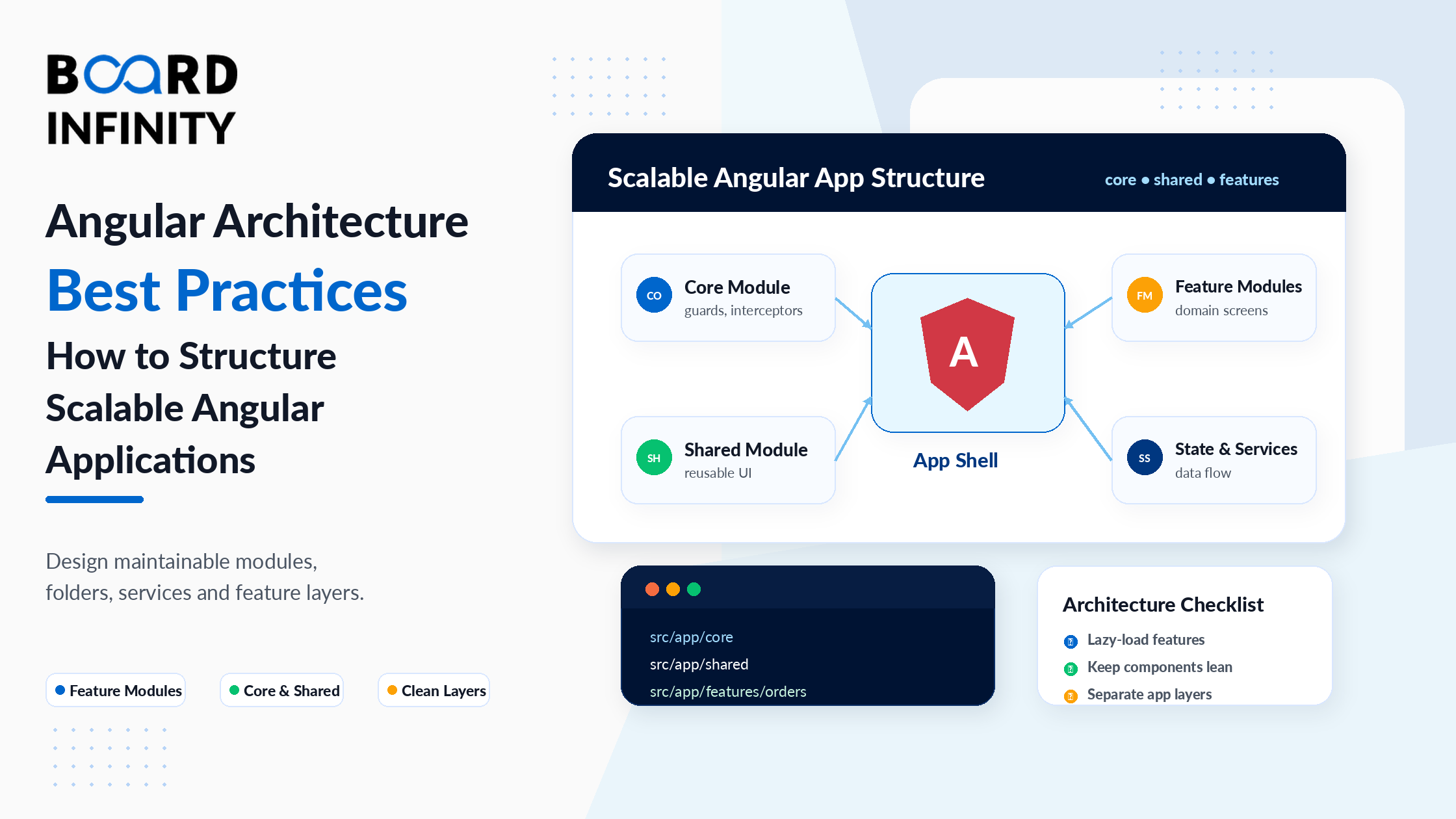
Every Angular developer reaches a point where their application starts working against them. Adding a feature requires touching five unrelated files. A bug in one module breaks functionality in another. New team members spend days understanding where things live before they can contribute. The application still works, but it has stopped being enjoyable or productive to work in.
This is an architecture problem. And it's almost always preventable. Angular is an opinionated framework - it has strong conventions for how applications should be organized - but those conventions only help if you understand them and apply them deliberately. The difference between an Angular codebase that scales to 50 developers and 100,000 lines of code, and one that becomes painful at 10,000 lines, comes down to a handful of structural decisions made early. Understanding why Angular's architecture is designed this way requires understanding the SPA model it's built for - Board Infinity's Single Page Applications vs Multi-Page Applications guide explains the client-side rendering model that Angular's modular, lazy-loaded architecture is specifically designed to optimize.
This guide covers the six architectural decisions that determine whether an Angular application remains maintainable as it grows: module organization strategy, lazy loading for performance, enterprise folder structure, service scope patterns, the Smart vs Presentational component architecture, and routing structure for large applications. Each section explains the principle, shows the implementation, and explains the mistakes to avoid.
Who This Guide Is For
This guide is for Angular developers who:
- Have built Angular applications and want to structure them for long-term maintainability
- Are joining or starting an Angular team and want architectural standards to establish from day one
- Have an existing Angular app that's becoming difficult to maintain and want a refactoring roadmap
- Are preparing for senior Angular developer or architect interviews
- Want to understand how Angular's opinionated architecture compares to more flexible frameworks - Board Infinity's Angular vs React vs Vue guide explains how Angular's built-in module system, DI, and routing conventions differ fundamentally from React's "bring your own" architectural approach
1. Feature Module vs Shared Module vs Core Module
The most fundamental architectural decision in a traditional Angular application is how to organize your NgModule declarations. In Angular 21, standalone components reduce some of this complexity - but the organizational principles remain essential even without modules.
Feature Modules encapsulate a complete feature of your application. A ProductsModule, UsersModule, or OrdersModule contains all the components, services, pipes, and directives that belong to that feature - and nothing else. Feature modules are typically lazy-loaded (loaded only when the user navigates to that feature's route), which dramatically improves initial load performance.
Shared Modules contain components, directives, and pipes that are used across multiple features. A button component, a loading spinner, a currency formatter pipe - things that belong to no single feature but are used by many. Shared modules are imported by feature modules that need them. Crucially, shared modules should not contain services.
Core Module (or core services layer in standalone apps) contains application-wide singleton services, HTTP interceptors, authentication services, and guards. The core module is imported once in AppModule (or provided in root in standalone apps). The module architecture that enables this clean separation is one of the key benefits of using Angular - its modular structure facilitates code division across teams while keeping the codebase clean and organized in ways that more flexible frameworks like React require manual discipline to achieve.
| Module Type | Contains | Imported By | Lazy Loaded? | Contains Services? |
|---|---|---|---|---|
| Feature Module | Components, services, routes for one feature | Router (via loadChildren) | Yes - loaded on demand | Yes - feature-scoped services |
| Shared Module | Reusable components, directives, pipes | Feature modules that need them | No - eagerly imported | No - never put services here |
| Core Module | App-wide singletons, interceptors, guards | AppModule only - once | No - always eagerly loaded | Yes - app-wide singletons only |
Shared modules are imported by multiple feature modules. If a service is declared in a shared module, each feature module that imports it gets its own instance of that service - breaking the singleton pattern. This causes subtle bugs where two parts of the application have different state for what should be the same service. Put services in feature modules (for feature-scoped services) or providedIn: 'root' (for app-wide singletons).
2. Lazy Loading Modules for Performance
Lazy loading is one of the highest-impact performance improvements in Angular. By default, Angular loads all of your application's JavaScript at startup - even for features the user may never visit. Lazy loading defers feature module loading until the user actually navigates to that feature's route.
The impact on initial load time is significant. An application that bundles 500KB of JavaScript into one file makes users download all 500KB before seeing anything. With lazy loading, the initial bundle might be 80KB - the rest loads on demand, in the background, only when needed. In Angular 21's standalone architecture, lazy loading works at the route level with loadComponent (for individual components) or loadChildren (for groups of routes). This performance advantage - lazy loading deeply integrated into the framework - is one of Angular's strongest arguments for enterprise use cases, as covered in Board Infinity's Angular vs React vs Vue 2025 comparison, which explains how Angular's built-in code splitting compares to React's manual configuration with external tools.
// app.routes.ts - top-level route configuration
import { Routes } from '@angular/router';export const routes: Routes = [// Eagerly loaded - always in the initial bundle
{
path: '',
loadComponent: () =>
import('./home/home.component')
.then(m => m.HomeComponent)
},// Lazy loaded - downloads ONLY when user visits /products
{
path: 'products',
loadChildren: () =>
import('./features/products/products.routes')
.then(m => m.PRODUCT_ROUTES)
// Entire products feature - components, services, child routes
// all loaded in one chunk when first accessed
},// Lazy loaded - downloads ONLY when user visits /admin
{
path: 'admin',
canActivate: [AuthGuard],          // guard runs before loading the chunk
loadChildren: () =>
import('./features/admin/admin.routes')
.then(m => m.ADMIN_ROUTES)
},{ path: '**', redirectTo: '' }
];// features/products/products.routes.ts - feature-level routes
import { Routes } from '@angular/router';export const PRODUCT_ROUTES: Routes = [
{
path: '',
loadComponent: () =>
import('./product-list/product-list.component')
.then(m => m.ProductListComponent)
},
{
path: ':id',
loadComponent: () =>
import('./product-detail/product-detail.component')
.then(m => m.ProductDetailComponent)
}
];
The downside of lazy loading is that the user experiences a brief delay when first navigating to a lazy-loaded route (the browser downloads the chunk). Angular's PreloadAllModules strategy solves this: it lazy-loads bundles eagerly in the background after the initial page loads. Users get a fast initial load AND fast subsequent navigation. Add it to your router config: RouterModule.forRoot(routes, { preloadingStrategy: PreloadAllModules }).
3. Folder Structure for Enterprise Angular Apps
A consistent, predictable folder structure is what allows large teams to navigate a codebase quickly. Angular's own style guide provides a foundation, and the enterprise community has converged on patterns that work at scale.
The key principle: organize by feature, not by type. Putting all components in one folder and all services in another creates a directory that's impossible to navigate in a large app. Putting everything related to products in a products folder makes the codebase readable by anyone who knows which feature they're working on. This feature-based organization principle is a direct reflection of how Angular's modular design philosophy differs from other frameworks - Board Infinity's web development frameworks comparison covers how Angular's opinionated folder conventions compare to the structural freedom (and frequent inconsistency) of React and Vue projects.
src/
├── app/
│   ├── core/                          # App-wide singletons - imported once
│   │   ├── guards/
│   │   │   └── auth.guard.ts
│   │   ├── interceptors/
│   │   │   └── auth.interceptor.ts
│   │   ├── services/
│   │   │   ├── auth.service.ts        # providedIn: 'root' singletons
│   │   │   └── user-session.service.ts
│   │   └── models/
│   │       └── user.model.ts          # App-wide TypeScript interfaces
│   │
│   ├── shared/                        # Reusable UI - no services here
│   │   ├── components/
│   │   │   ├── button/
│   │   │   ├── loading-spinner/
│   │   │   └── data-table/
│   │   ├── directives/
│   │   │   └── highlight.directive.ts
│   │   └── pipes/
│   │       └── currency-format.pipe.ts
│   │
│   ├── features/                      # Feature areas - each lazy loaded
│   │   ├── products/
│   │   │   ├── components/            # Presentational components
│   │   │   │   ├── product-card/
│   │   │   │   └── product-filter/
│   │   │   ├── containers/            # Smart/container components
│   │   │   │   ├── product-list/
│   │   │   │   └── product-detail/
│   │   │   ├── services/
│   │   │   │   └── product.service.ts
│   │   │   ├── models/
│   │   │   │   └── product.model.ts
│   │   │   └── products.routes.ts
│   │   │
│   │   ├── orders/
│   │   └── admin/
│   │
│   ├── app.component.ts
│   ├── app.config.ts                  # Standalone app configuration
│   └── app.routes.ts
│
├── environments/
│   ├── environment.ts                 # Dev environment variables
│   └── environment.prod.ts
└── styles/
    ├── _variables.scss                # Design tokens
    └── _mixins.scss
Each Angular component should live in its own folder containing exactly four files: component-name.component.ts, component-name.component.html, component-name.component.css, and component-name.component.spec.ts. This one-component-per-folder rule keeps component files organized, makes the component easy to find, and mirrors how the Angular CLI generates components by default. Any component that grows complex enough to need its own sub-components can have a sub-folder structure.
4. Angular Services: Singleton vs Request-Scoped
Service scope is one of the most misunderstood aspects of Angular architecture. Getting it wrong produces subtle, hard-to-reproduce bugs where data bleeds between features or multiple instances of the same service hold conflicting state.
Angular has three ways to provide a service, each with different scope implications. providedIn: 'root' - the service is a singleton available throughout the entire application. One instance, shared by every component and service that injects it. This is correct for AuthService, UserSessionService, LoggingService, or any service where shared state is intentional. Provided in a feature's route - the service exists only for the lifetime of that feature's lazy-loaded route. Provided in a component - the service exists for the lifetime of that component. The integration between Angular's DI system and its Node.js backend counterparts - where similar service and singleton patterns apply - is covered in Board Infinity's guide on integrating Node.js APIs with Angular, which shows how the frontend DI patterns map to the full-stack application architecture.
// 1. SINGLETON - one instance for entire app lifetime
@Injectable({
  providedIn: 'root'  // available everywhere, created once
})
export class AuthService {
  private currentUser: User | null = null;
  // Every component that injects this gets the SAME instance
  // Correct for auth state that must be consistent across the app
}
// 2. ROUTE-SCOPED - new instance when route loads, destroyed when route unloads
@Injectable() // no providedIn - provided in route definition
export class WizardStateService {
currentStep = 1;
formData: Partial<WizardFormData> = {};
// Fresh state each time user enters the checkout wizard route
}
// In the route definition:
const checkoutRoutes: Routes = [{
path: 'checkout',
providers: [WizardStateService], // scoped to this route tree
loadComponent: () =>
import('./checkout/checkout.component').then(m => m.CheckoutComponent)
}];
// 3. COMPONENT-SCOPED - new instance per component, destroyed with component
@Component({
selector: 'app-data-grid',
standalone: true,
providers: [GridSelectionService], // each grid instance has its own
template: ...
})
export class DataGridComponent {
private selection = inject(GridSelectionService);
// If you have 3 grids on a page, each has its own GridSelectionService
}
5. Smart Container + Presentational Component Pattern
This architectural pattern is covered in component deep-dives, but its importance to application architecture deserves emphasis here. The Smart vs Presentational (also called Container vs Dumb) pattern is what keeps Angular codebases testable and maintainable as they grow.
Smart components (containers) are the orchestrators. They inject services, manage data flow, handle side effects, and own the "what is the state of this feature?" responsibility. They're typically mapped directly to routes.
Presentational components have no service dependencies. They receive data via @Input() and communicate upward only via @Output() event emitters. They render UI. That's all. Because they're completely decoupled from services and application state, they're trivially testable, reusable across features, and perfect candidates for OnPush change detection. This pattern mirrors the component-based architectures used across all major frameworks - Board Infinity's most popular front-end frameworks guide explains how Angular's component model compares to React's component-based approach, and why Angular's strict separation of concerns through DI and smart/presentational patterns gives it a structural maintainability advantage.
// SMART CONTAINER - the page component (route-mapped)
@Component({
  selector: 'app-orders-page',
  standalone: true,
  imports: [OrderFilterComponent, OrderListComponent,
            OrderSummaryComponent, AsyncPipe, NgIf],
  template: `
    <!-- Smart container wires multiple presentational components together -->
    <app-order-filter
      [statuses]="availableStatuses"
      [activeFilter]="activeFilter"
      (filterChanged)="onFilterChange($event)"
    />
<app-order-list
  [orders]="filteredOrders$ | async"
  [isLoading]="isLoading"
  (orderSelected)="onOrderSelected($event)"
  (orderCancelled)="onOrderCancelled($event)"
/>

<app-order-summary
  [totalCount]="totalCount"
  [totalValue]="totalValue"
/>
`
})
export class OrdersPageComponent implements OnInit {
private orderService = inject(OrderService); // only the container knows services
filteredOrders$ = this.orderService.getOrders();
activeFilter    = 'all';
isLoading       = false;
totalCount      = 0;
totalValue      = 0;
availableStatuses = ['all', 'pending', 'shipped', 'delivered'];
onFilterChange(status: string) {
this.activeFilter   = status;
this.filteredOrders$ = this.orderService.getOrdersByStatus(status);
}
onOrderSelected(orderId: string) { /* navigate to detail */ }
onOrderCancelled(orderId: string) {
this.orderService.cancelOrder(orderId).subscribe();
}
ngOnInit() {}
}
A well-structured Angular feature typically has one smart container component that maps to the route, and multiple small, focused presentational components beneath it. The container orchestrates the data flow; the presentational components handle rendering. When you find a container becoming too large (more than ~150 lines of template), it's a signal to extract a sub-container for a distinct section of the page - not to add service dependencies to presentational components.
6. Routing Structure for Large Applications
Routing structure in a large Angular application is where good architecture pays off most visibly. A well-organized routing structure makes the application's information architecture obvious, supports lazy loading naturally, enables route-level guards and resolvers cleanly, and makes deep linking straightforward.
The key principles for large application routing: keep top-level routes flat and simple (one entry per feature), use child routes within feature route files for that feature's internal navigation, apply guards at the feature level (not component level where possible), and use route resolvers to pre-fetch data before the component renders. For frontend developers who want to understand how Angular's routing compares to alternatives before committing to the architecture, Board Infinity's ReactJS vs VueJS comparison covers how React Router and Vue Router differ from Angular's built-in router - context that helps Angular developers appreciate why Angular's routing is deeply integrated with its DI, guards, and resolver systems rather than being a separate library.
// app.routes.ts - clean, flat top-level routes
export const routes: Routes = [
  { path: '',         loadComponent: () => import('./home').then(m => m.HomeComponent) },
  { path: 'products',  loadChildren: () => import('./features/products/products.routes').then(m => m.PRODUCT_ROUTES) },
  { path: 'orders',    canActivate: [AuthGuard], loadChildren: () => import('./features/orders/orders.routes').then(m => m.ORDER_ROUTES) },
  { path: 'admin',     canActivate: [AuthGuard, AdminGuard], loadChildren: () => import('./features/admin/admin.routes').then(m => m.ADMIN_ROUTES) },
  { path: 'auth',      loadChildren: () => import('./features/auth/auth.routes').then(m => m.AUTH_ROUTES) },
  { path: '**',        redirectTo: '' }
];
// features/orders/orders.routes.ts - feature-level child routing
export const ORDER_ROUTES: Routes = [
{
path: '',
component: OrdersShellComponent, // shell provides the layout + router-outlet
children: [
{
path: '',
loadComponent: () =>
import('./containers/orders-list/orders-list.component')
.then(m => m.OrdersListComponent)
},
{
path: ':id',
resolve: { order: OrderResolver }, // pre-fetch order before component loads
loadComponent: () =>
import('./containers/order-detail/order-detail.component')
.then(m => m.OrderDetailComponent)
},
{
path: ':id/edit',
canActivate: [OrderOwnerGuard],  // fine-grained guard at child level
loadComponent: () =>
import('./containers/order-edit/order-edit.component')
.then(m => m.OrderEditComponent)
}
]
}
];
// Route resolver - pre-fetches data before component loads
@Injectable({ providedIn: 'root' })
export class OrderResolver implements Resolve<Order> {
private orderService = inject(OrderService);
resolve(route: ActivatedRouteSnapshot): Observable<Order> {
return this.orderService.getOrder(route.paramMap.get('id')!);
// Component receives resolved data via: this.route.snapshot.data['order']
}
}
A common UX pattern is: navigate to a page, see a loading spinner, then see the content. Route resolvers flip this: the navigation doesn't complete until the data is fetched. The user sees the spinner during navigation (in the browser's progress bar) and arrives at the page with data already available - no component-level loading state needed. This is cleaner UX and simpler component code. Use resolvers for any data that a page fundamentally cannot render without.
Further Reading
Board Infinity Guides:
- Angular vs AngularJS - Key Differences Explained
- Benefits of Using Angular for Enterprise Development
- The State of Angular in 2022 - Relevance vs Legacy
- Angular vs React vs Vue - Which Framework to Choose in 2023
- Angular vs React vs Vue - Best Framework to Choose 2025
- Web Development Frameworks - A Complete Comparison
- ReactJS vs VueJS - Understanding the Differences
- Most Popular Front-End Frameworks in 2025
- Single Page Applications vs Multi-Page Applications
- Integrating Node.js with Angular
- Frontend and Backend in Web Development
- How to Become a Front-End Developer (Roadmap)
- Top 10 Front-End Development Projects
- JavaScript Trends and Tools
External Resources:
- Angular Official Style Guide
- Angular Official Docs - Lazy Loading Feature Modules
- Angular Official Docs - Dependency Injection
Angular Foundation & Application Architecture on Coursera
This free Coursera course by Board Infinity applies every architectural principle in this guide through a complete, real Angular 21 project. You'll build the actual folder structure, implement standalone routing with lazy loading, separate smart and presentational components, and establish the patterns that make large applications maintainable.
✓ Certificate available · ✓ Self-paced · ✓ Real project milestones
Conclusion
Angular architecture is not a one-time decision made at project start. It's a set of ongoing principles applied consistently as the application grows. The six principles in this guide - module organization, lazy loading, consistent folder structure, service scope, smart/presentational component separation, and structured routing - compound over time. An application that applies them from the start remains maintainable at 10 times its original size. One that ignores them becomes difficult to work in long before it reaches that scale.
The most important of these principles for beginners to internalize first is feature-based organization: keep everything related to a feature together, lazy-load feature bundles, and let each feature own its own components, services, and routes. This single pattern, applied consistently, prevents the majority of architectural problems that affect growing Angular applications. For developers building frontend portfolios that showcase these architectural patterns, Board Infinity's front-end development projects guide highlights the types of Angular projects - particularly admin dashboards and multi-feature applications - that best demonstrate modular architecture, lazy loading, and smart/presentational component patterns to hiring teams.
Architecture is ultimately about making the right things easy and the wrong things hard. In Angular, that means making it easy to find where code lives, making it hard for features to accidentally depend on each other's internals, making it easy to load only what's needed, and making it hard for state to leak between independent parts of the application. The patterns in this guide are how Angular applications achieve all four. Understanding the full context of why Angular's architectural opinions exist - and how the framework has evolved - is well covered in Board Infinity's state of Angular guide, which explains how Angular's architectural maturity positions it for the enterprise use cases where these patterns matter most.
