ASN Lookup in Computer Networks: Meaning, Uses & How It Works
Type an IP address into a basic lookup tool, and you'll usually get a city, maybe an ISP name. But that's only half the picture. Behind almost every IP address is a bigger structure called an Autonomous System, and if you want to know who really controls a chunk of the internet, that's where you need to look.
An ASN lookup is a query that reveals which organization owns and operates a specific network on the internet, along with every IP range that network advertises. It goes one level deeper than a normal IP lookup, and once you understand it, a lot of networking and security work gets a lot easier.
This guide breaks down what an ASN actually is, why people search for this information, and how to run a lookup yourself, no networking degree required.
What Is an ASN, Exactly?
An ASN (Autonomous System Number) is a unique ID assigned to a network operator, like an ISP, a cloud provider, or a large company, that identifies the collection of IP address ranges they control on the internet.
Think of the internet as thousands of smaller networks stitched together. Each of those networks needs a way to say, "These IP addresses belong to me, which route traffic here." That's exactly what an ASN does. It's the internet's version of a company registration number, except instead of registering a business, you're registering a network.
Every ASN is issued by one of five Regional Internet Registries (RIRs), depending on where the organization is based:
ARIN: North America
RIPE NCC: Europe, the Middle East, and Central Asia
APNIC: Asia-Pacific
LACNIC: Latin America and the Caribbean
AFRINIC: Africa
So when you look up an ASN, you're really querying whichever registry originally allocated it. That's an important detail, because it's also why some free tools give incomplete answers. If a tool only checks one registry, it'll miss a huge chunk of the internet.
Why Would You Look Up an ASN?
In my experience, people rarely search for "ASN lookup" out of pure curiosity. There's usually a specific problem behind it. Here are the most common ones:
Security investigations. An IP address on its own tells you very little. But once you know which network it belongs to, you can tell if it's coming from a known hosting provider, a residential ISP, or a network with a history of abuse.
BGP monitoring. Network engineers track which IP ranges an ASN is announcing over time. If new ranges show up unexpectedly or old ones disappear, that's worth investigating.
Threat intelligence. Security teams often block or flag traffic at the network level rather than the individual IP level, since attackers rotate IPs constantly but rarely change networks.
Infrastructure research. Developers and analysts use ASN data to map out who's actually running the infrastructure behind a website, an app, or a suspicious login attempt.
Developers often stumble onto ASN lookups while debugging something else entirely, like why a user's traffic is being geolocated to the wrong country, only to find the IP block itself is registered somewhere unexpected.
What Information Does an ASN Lookup Actually Return?
This is where a lot of free tools fall short. A basic ASN lookup might just hand you a name and a country. A proper one, like the response you'd get from APIFreaks, gives you the full network profile.
Here's what a complete ASN lookup should include:
Data Point
What It Tells You
Organization name & WHOIS record
Who legally owns and registered the ASN
Allocation date & type
When it was assigned, and whether it's an ISP, business, government, or educational network
IPv4 and IPv6 CIDR blocks
Every address range the ASN currently advertises
Upstream providers
Who carries this network's traffic to the rest of the internet
Downstream networks
Who this network provides transit to
BGP peers
Direct neighbors this ASN exchanges traffic with
Raw WHOIS text
The unprocessed registry record, useful for audits or documentation
That combination, ownership plus routing plus relationships, is what turns a simple lookup into something you can actually build security or research workflows around.
How to Perform an ASN Lookup
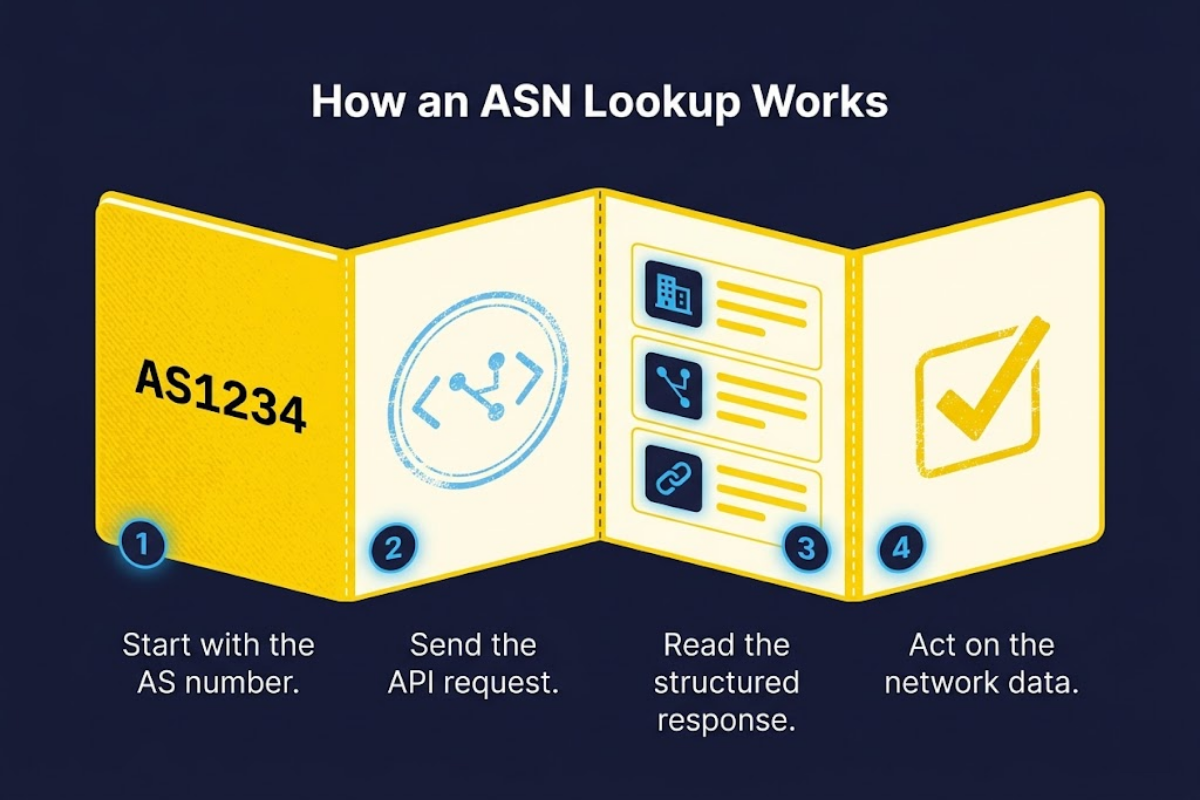
You don't need any coding background to do a basic lookup, but if you're integrating this into an application or a security pipeline, an API is the practical route. Here's how it works step by step.
Step 1: Get the AS number. If you already know it, great. If you're starting from an IP address instead, most IP geolocation tools will hand you the ASN as part of the response. APIFreaks' IP Geolocation API, for example, returns the ASN directly in its response, so you can pull it and feed it straight into an ASN lookup.
Step 2: Query the ASN. Using theAPIFreaks ASN Lookup API, you send a simple request with the AS number, formatted with or without the "AS" prefix (both AS1234 and 1234 work the same way).
Step 3: Read the response. A structured response typically includes fields like the organization name, country, allocation date, and arrays for advertised routes and BGP relationships. You don't need to parse raw WHOIS text by hand; the structured fields do that work for you.
Step 4: Act on the data. Depending on your use case, that might mean flagging traffic from a specific network, logging a new prefix for monitoring, or simply documenting who owns an address range for a report.
A Quick Example
Say you're looking up AS1234. Here's what a real, live response from the ASN Lookup API looks like:
{
"asNumber": "1234",
"asName": "FORTUM-AS",
"orgName": "Fortum",
"description": "Fortum",
"orgHandle": "FORTUM-AS",
"country": "NL",
"domain": null,
"website": "",
"allocationStatus": "LEGACY",
"numOfIPv4Routes": "3",
"numOfIPv6Routes": "0",
"whoisHost": "RIPE",
"dateAllocated": "2002-07-01",
"type": "BUSINESS",
"routeObjects": [
{
"route": "137.96.0.0/16",
"origin": "AS1234",
"originName": "Fortum",
"isp": "Fortum Oyj",
"numberOfIps": 65536
},
{
"route": "193.110.32.0/21",
"origin": "AS1234",
"originName": "Fortum",
"isp": "Fortum Oyj",
"numberOfIps": 2048
},
{
"route": "132.171.0.0/16",
"origin": "AS1234",
"originName": "Fortum",
"isp": "Fortum Oyj",
"numberOfIps": 65536
}
],
"whoisResponse": "% This is the RIPE Database query service.\n% The objects are in RPSL format.\n%\n% The RIPE Database is subject to Terms and Conditions.\n% See https://docs.db.ripe.net/terms-conditions.html\n\n% Note: this output has been filtered.\n% To receive output for a database update, use the \"-B\" flag.\n\n% Information related to 'AS1234 - AS1235'\n\nas-block: AS1234 - AS1235\ndescr: RIPE NCC ASN block\nremarks: These AS Numbers are assigned to network operators in the RIPE NCC service region.\nmnt-by: RIPE-NCC-HM-MNT\ncreated: 2018-11-22T15:27:09Z\nlast-modified: 2018-11-22T15:27:09Z\nsource: RIPE\n\n% Information related to 'AS1234'\n\n% No abuse contact registered for AS1234\n\naut-num: AS1234\nas-name: FORTUM-AS\ndescr: Fortum\ndescr: Fortum's Internet access\nimport: from AS6667\n action pref=100;\n accept ANY\nimport: from AS1759\n action pref=100;\n accept ANY\nexport: to AS6667\n announce AS1234\nexport: to AS1759\n announce AS1234\nadmin-c: TT18-RIPE\ntech-c: JK6864-RIPE\ntech-c: KS2114-RIPE\nstatus: LEGACY\nmnt-by: TE-ENERGY-NOC\ncreated: 2002-07-01T06:59:10Z\nlast-modified: 2017-11-15T09:13:23Z\nsource: RIPE # Filtered\n\nperson: Jari Kuusikoski\naddress: Tietoevry Tech Services Finland Oy\naddress: Keilalahdentie 2\naddress: P.O. BOX 2\naddress: FI-02101 ESPOO\naddress: Finland\nphone: +358 40 5477 306\nnic-hdl: JK6864-RIPE\nmnt-by: DATANET-NOC\nmnt-by: TE-ENERGY-NOC\ncreated: 2002-06-25T12:30:09Z\nlast-modified: 2024-01-02T14:44:59Z\nsource: RIPE # Filtered\n\nperson: Kalevi Sinkko\naddress: TietoEnator\naddress: Aku Korhosentie 2\naddress: 00441 Helsinki\nphone: +358207269560\nfax-no: +358-2072 69400\nnic-hdl: KS2114-RIPE\nmnt-by: DATANET-NOC\nmnt-by: TE-ENERGY-NOC\ncreated: 2002-06-24T08:06:29Z\nlast-modified: 2006-07-21T06:06:14Z\nsource: RIPE # Filtered\n\nperson: Tarmo Tuomi\naddress: TietoEnator Co\naddress: Aku Korhosentie 2\naddress: FIN-00441 HELSINKI\naddress: FINLAND\nphone: +358-207269559\nfax-no: +358-2072 69400\nnic-hdl: TT18-RIPE\ncreated: 2002-06-17T09:38:57Z\nlast-modified: 2016-04-05T14:33:28Z\nmnt-by: RIPE-NCC-LOCKED-MNT\nsource: RIPE # Filtered\n\n% This query was served by the RIPE Database Query Service version 1.123 (SHETLAND)\n\n\n\n#\n# ARIN WHOIS data and services are subject to the Terms of Use\n# available at: https://www.arin.net/resources/registry/whois/tou/\n#\n# If you see inaccuracies in the results, please report at\n# https://www.arin.net/resources/registry/whois/inaccuracy_reporting/\n#\n# Copyright 1997-2026, American Registry for Internet Numbers, Ltd.\n#\n\n\nASNumber: 1234 - 1235\nASName: RIPE-ASNBLOCK-1234\nASHandle: AS1234\nRegDate: 2002-10-15\nUpdated: 2003-04-25\nComment: These addresses have been further assigned to users in\nComment: the RIPE NCC region. Contact information can be found in\nComment: the RIPE database at http://www.ripe.net/whois\nRef: https://rdap.arin.net/registry/autnum/1234\n\nResourceLink: https://apps.db.ripe.net/db-web-ui/query\nResourceLink: whois.ripe.net\n\n\nOrgName: RIPE Network Coordination Centre\nOrgId: RIPE\nAddress: P.O. Box 10096\nCity: Amsterdam\nStateProv: \nPostalCode: 1001EB\nCountry: NL\nRegDate: \nUpdated: 2013-07-29\nRef: https://rdap.arin.net/registry/entity/RIPE\n\nReferralServer: whois.ripe.net\nResourceLink: https://apps.db.ripe.net/db-web-ui/query\n\nOrgAbuseHandle: ABUSE3850-ARIN\nOrgAbuseName: Abuse Contact\nOrgAbusePhone: +31205354444 \nOrgAbuseEmail: abuse@ripe.net\nOrgAbuseRef: https://rdap.arin.net/registry/entity/ABUSE3850-ARIN\n\nOrgTechHandle: RNO29-ARIN\nOrgTechName: RIPE NCC Operations\nOrgTechPhone: +31 20 535 4444 \nOrgTechEmail: hostmaster@ripe.net\nOrgTechRef: https://rdap.arin.net/registry/entity/RNO29-ARIN\n\n\n#\n# ARIN WHOIS data and services are subject to the Terms of Use\n# available at: https://www.arin.net/resources/registry/whois/tou/\n#\n# If you see inaccuracies in the results, please report at\n# https://www.arin.net/resources/registry/whois/inaccuracy_reporting/\n#\n# Copyright 1997-2026, American Registry for Internet Numbers, Ltd.\n#\n",
In one call, you get the organization name (Fortum), the country it's registered in, when the ASN was allocated, and every network it connects to directly, both its upstream providers and its BGP peers. The full response also includes the complete raw WHOIS text and additional registry contact details, but even this trimmed view already tells you more than a plain IP lookup ever could.
Instead of digging through raw registry text line by line, you get all of that in a clean, structured format you can drop straight into a script, a dashboard, or a report.
Common Mistakes People Make With ASN Lookups
Mistake
Consequence
Assuming IP location and ASN country always match
Leads to wrong conclusions during fraud or security checks
Using a tool that only checks one RIR
Missing data for ASNs registered outside that region
Ignoring BGP relationships
Missing context on how traffic actually reaches a network
Treating ASN data as static
Networks change their advertised ranges more often than people expect
FAQs
What's the difference between an ASN lookup and an IP lookup?
An IP lookup tells you about one specific address, usually its approximate location and the ISP it's assigned to. An ASN lookup goes broader: it tells you about the entire network operator behind that IP, including every address range they control and who they connect to.
Can I do an ASN lookup without any coding?
Yes. Free browser-based tools let you type in an AS number or IP address and get results instantly. Coding only becomes necessary if you want to automate lookups or pull this data into your own application.
What is BGP, and why does it come up in ASN lookups?
BGP (Border Gateway Protocol) is how networks tell each other which IP ranges they own and how to route traffic to them. It's the mechanism that makes ASN data meaningful, since it's literally what connects one Autonomous System to another.
Conclusion
An ASN lookup answers a question a basic IP lookup can't: who actually runs this part of the internet? Whether you're investigating suspicious traffic, monitoring network changes, or just curious who's behind an IP range, knowing how to read ASN data turns a vague IP address into something you can actually act on.