
Angular Components Deep Dive: Lifecycle Hooks, Input/Output & Change Detection
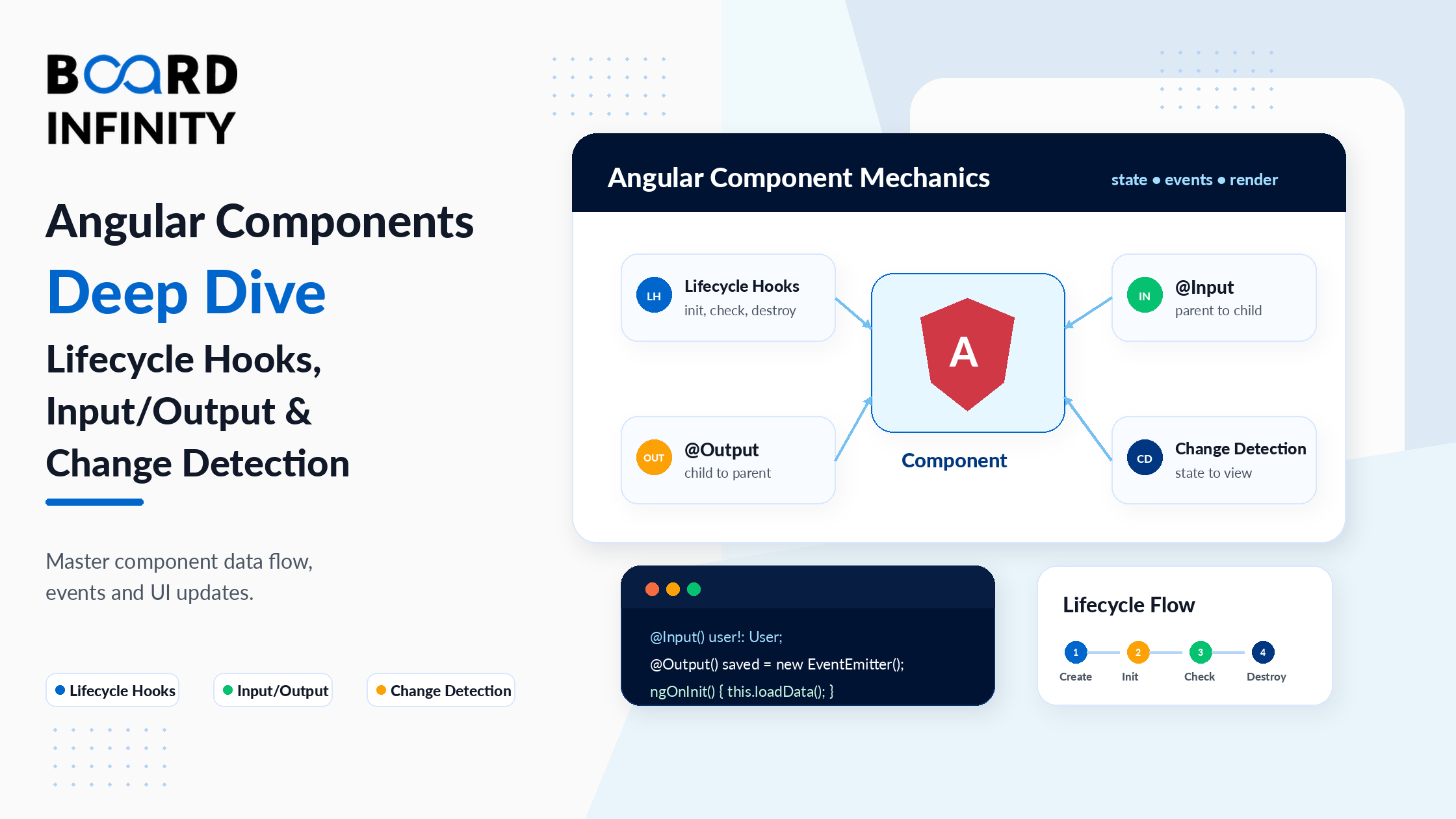
If you've built a basic Angular application and understand the @Component decorator, you're at the starting line. The real Angular component model - the one that powers large, performant, maintainable applications - goes significantly deeper. Lifecycle hooks control when your component logic runs. @Input and @Output define how components communicate. ViewChild gives you direct template element access. And change detection determines how efficiently Angular updates the DOM when data changes.
These aren't advanced topics reserved for senior developers. They're the day-to-day tools of any Angular developer working on a real application. Understanding when ngOnInit fires versus the constructor, why ngOnChanges is critical for reactive component behavior, and why OnPush change detection exists - these distinctions show up in every code review, every performance debug, and every architecture conversation on an Angular team. Angular's component-based architecture - and why it's designed the way it is - is well covered in Board Infinity's benefits of using Angular guide, which explains how Angular's TypeScript foundation and component model deliver consistency and maintainability that other frameworks achieve only through conventions, not enforcement.
This guide covers all seven component concepts with working code examples, practical use cases, and the specific mistakes that trip up developers who learned the surface-level Angular but haven't gone deeper. By the end, you'll have a complete, production-ready mental model of how Angular components actually work.
Who This Guide Is For
This guide is for you if you:
- Know Angular basics (components, templates, data binding) and want to go deeper
- Have encountered lifecycle hooks in Angular code but aren't sure when to use which
- Are confused by
@Input,@Output,ViewChild- or when to use each - Want to understand Angular change detection and use
OnPushto improve performance - Are preparing for an Angular technical interview
- Want to understand how Angular's component model compares to React and Vue - Board Infinity's Angular vs React vs Vue guide explains how Angular's lifecycle hooks and change detection compare structurally to React's hooks model and Vue's reactivity system
1. Creating and Structuring Angular Components
A well-structured Angular component follows a clear organization: imports at the top, the @Component decorator with its metadata, then the class with properties followed by lifecycle hooks, then public methods, then private helpers. This is not an arbitrary style preference - it's a convention that makes large codebases navigable for anyone who knows Angular.
In Angular 21, the default is standalone components. No NgModule required. Each component declares its own dependencies in its imports array. This structural consistency - where Angular enforces one recommended way to create components - is one of the framework's key architectural advantages. Board Infinity's state of Angular guide explains how Angular's consistent component conventions have driven its continued enterprise adoption, and how the standalone component model introduced in recent versions simplifies the architecture further.
import { Component, Input, Output, EventEmitter,
         OnInit, OnChanges, OnDestroy, SimpleChanges,
         ChangeDetectionStrategy, inject } from '@angular/core';
import { NgIf, NgFor, AsyncPipe } from '@angular/common';
import { Subject } from 'rxjs';
import { ProductService } from './product.service';
@Component({
selector:           'app-product-list',
standalone:         true,
imports:            [NgIf, NgFor, AsyncPipe],
changeDetection:    ChangeDetectionStrategy.OnPush,
templateUrl:        './product-list.component.html',
styleUrl:           './product-list.component.css'
})
export class ProductListComponent implements OnInit, OnChanges, OnDestroy {
// 1. Injected services
private productService = inject(ProductService);
// 2. Inputs and Outputs
@Input() categoryId!: number;
@Output() productSelected = new EventEmitter<number>();
// 3. Public properties (template binds to these)
products: { id: number; name: string }[] = [];
isLoading = true;
// 4. Private properties
private destroy$ = new Subject<void>();
// 5. Lifecycle hooks (in order of execution)
ngOnChanges(changes: SimpleChanges) { /* runs before ngOnInit / }
ngOnInit() { / runs once after first ngOnChanges / }
ngOnDestroy() { / cleanup before component is removed */ }
// 6. Public methods
selectProduct(id: number) {
this.productSelected.emit(id);
}
}
2. Component Lifecycle: ngOnInit, ngOnChanges, ngOnDestroy
Angular components go through a predictable sequence of lifecycle events from creation to destruction. Angular calls specific methods at each stage - these are the lifecycle hooks. Understanding the sequence and what each hook is for eliminates a significant class of bugs that Angular beginners encounter.
The Lifecycle Sequence: When an Angular component is created: the constructor runs first, then ngOnChanges (if the component has @Input properties), then ngOnInit, then the view is rendered. The JavaScript async patterns that underpin subscription management in lifecycle hooks - particularly why ngOnDestroy must clean up Observables to prevent memory leaks - connect to Board Infinity's guide on async/await in JavaScript, which explains the async execution model that Angular's Observable subscriptions build upon.
| Lifecycle Hook | When It Runs | Common Use Case |
|---|---|---|
constructor() |
Before anything - DI setup only | Inject services only - no logic here |
ngOnChanges() |
Before ngOnInit, then every time an @Input changes | React to @Input property changes |
ngOnInit() |
Once, after first ngOnChanges | Fetch initial data, initialize subscriptions |
ngAfterViewInit() |
After component's view and child views are rendered | Access ViewChild elements, third-party DOM libraries |
ngOnDestroy() |
Just before component is removed from DOM | Unsubscribe Observables, clear timers, release resources |
@Component({ selector: 'app-user-profile', standalone: true, template: `...` })
export class UserProfileComponent implements OnInit, OnChanges, OnDestroy {
@Input() userId!: number;
private userService  = inject(UserService);
private destroy$     = new Subject<void>();
user: User | null    = null;
// ngOnChanges - runs BEFORE ngOnInit and whenever userId changes
ngOnChanges(changes: SimpleChanges) {
if (changes['userId'] && !changes['userId'].firstChange) {
// userId was updated AFTER initial load - reload user data
this.loadUser(this.userId);
}
}
// ngOnInit - runs once after the FIRST ngOnChanges
// @Input() properties are guaranteed to have their initial values here
ngOnInit() {
this.loadUser(this.userId);
}
// ngOnDestroy - cleanup BEFORE component is removed from the DOM
ngOnDestroy() {
this.destroy$.next();   // signal all takeUntil subscriptions to complete
this.destroy$.complete();
}
private loadUser(id: number) {
this.userService.getUserById(id)
.pipe(takeUntil(this.destroy$)) // auto-unsubscribes on destroy
.subscribe(user => this.user = user);
}
}
The constructor runs before Angular has set @Input() values. If you read an @Input property in the constructor, it will be undefined. Always use ngOnInit() for logic that depends on @Input values - this is the first lifecycle hook where their initial values are guaranteed to be available. For logic that should re-run when an @Input changes after initialization, use ngOnChanges().
3. @Input(): Passing Data from Parent to Child
@Input() is the mechanism for a parent component to pass data into a child component. The parent sets a property value in its template; Angular binds that value to the child's @Input() decorated property. Angular 21 introduces required inputs and input transforms - two features that make the @Input API significantly more expressive and type-safe.
The @Input / @Output pattern is one of Angular's clearest differentiators from other frameworks. Board Infinity's Angular vs React vs Vue 2025 comparison explains how Angular's explicit, decorator-based prop passing compares to React's JSX props and Vue's defineProps - and why Angular's approach provides stronger compile-time safety for large team codebases.
import { Component, Input, input } from '@angular/core'; @Component({ selector: 'app-badge', standalone: true, template: <span [class]="'badge badge-' + variant">{{ label }}</span> }) export class BadgeComponent { // Classic @Input - optional, can be undefined @Input() label: string = 'Default'; // Required input - Angular throws if parent doesn't provide it @Input({ required: true }) variant!: 'success' | 'warning' | 'danger'; // Input with transform - converts incoming string to number automatically @Input({ transform: (v: string) => parseInt(v, 10) }) count = 0; } // In the parent template: //// count arrives as string "42" from HTML, transform converts it to number 42 // Modern Angular 21 signal-based input (alternative to @Input decorator) @Component({ selector: 'app-avatar', standalone: true, template: <img [src]="imageUrl()" [alt]="name()" />}) export class AvatarComponent { name = input<string>(''); // signal input - reactive by default imageUrl = input.required<string>(); // required signal input // Usage: }
4. @Output() and EventEmitter: Child to Parent Communication
While @Input() flows data downward (parent to child), @Output() with EventEmitter flows events upward (child to parent). The child emits an event; the parent listens for it in its template. The pattern is always: child declares @Output() someEvent = new EventEmitter<PayloadType>(), child calls this.someEvent.emit(payload) when something happens, and parent listens with (someEvent)="handleIt($event)" in its template.
The EventEmitter used in @Output() is built on RxJS Observable principles - understanding the async JavaScript patterns that power it makes the communication model much clearer. Board Infinity's guide on Promise in JavaScript covers the async fundamentals that RxJS Subjects and EventEmitters extend, providing the foundational context that makes Angular's event system intuitive rather than mysterious.
// CHILD COMPONENT - emits events to parent
@Component({
  selector: 'app-quantity-picker',
  standalone: true,
  template: `
    <button (click)="decrement()">-</button>
    <span>{{ quantity }}</span>
    <button (click)="increment()">+</button>
    <button (click)="addToCart()">Add to Cart</button>
  `
})
export class QuantityPickerComponent {
@Input() initialQuantity = 1;
@Input() maxQuantity     = 10;
// @Output with typed payload - parent receives the number
@Output() quantityChanged = new EventEmitter<number>();
@Output() addedToCart    = new EventEmitter<{ quantity: number }>();
quantity = this.initialQuantity;
increment() {
if (this.quantity < this.maxQuantity) {
this.quantity++;
this.quantityChanged.emit(this.quantity); // emit new value to parent
}
}
decrement() {
if (this.quantity > 1) {
this.quantity--;
this.quantityChanged.emit(this.quantity);
}
}
addToCart() {
this.addedToCart.emit({ quantity: this.quantity });
}
}
// PARENT COMPONENT - listens to child events
@Component({
selector: 'app-product-page',
standalone: true,
imports: [QuantityPickerComponent],
template:     <h1>{{ product.name }}</h1>     <app-quantity-picker       [initialQuantity]="1"       [maxQuantity]="product.stock"       (quantityChanged)="onQuantityChange($event)"       (addedToCart)="onAddedToCart($event)"     />     <p>Selected: {{ selectedQuantity }}</p>
})
export class ProductPageComponent {
product = { name: 'Widget Pro', stock: 5 };
selectedQuantity = 1;
onQuantityChange(qty: number) {
this.selectedQuantity = qty; // $event is the emitted value
}
onAddedToCart(payload: { quantity: number }) {
console.log(Adding ${payload.quantity} to cart);
}
}
5. ViewChild and ContentChild
@ViewChild gives you a reference to a DOM element, directive, or child component in your template. @ContentChild gives you a reference to content projected into your component via <ng-content>. Both are available after ngAfterViewInit runs - not in ngOnInit.
The @ViewChild pattern for direct DOM access is something Angular developers use frequently when integrating third-party libraries or building complex UI interactions. For developers coming from a React or Vue background, understanding how @ViewChild differs from React's useRef or Vue's ref() is important context - Board Infinity's web development frameworks comparison covers how each framework handles direct DOM access and why Angular's template variable approach is more explicit.
import { Component, ViewChild, ContentChild,
         AfterViewInit, ElementRef } from '@angular/core';
@Component({
selector: 'app-search-box',
standalone: true,
template:     <input #searchInput type="text" placeholder="Search..." />     <button (click)="focusInput()">Focus</button>     <app-autocomplete #dropdown />
})
export class SearchBoxComponent implements AfterViewInit {
// @ViewChild references a template element by its template variable
@ViewChild('searchInput') searchInput!: ElementRef<HTMLInputElement>;
// @ViewChild references a child component class
@ViewChild(AutocompleteComponent) dropdown!: AutocompleteComponent;
// NOT available until ngAfterViewInit - view hasn't rendered yet in ngOnInit
ngAfterViewInit() {
console.log(this.searchInput.nativeElement); // actual DOM element
this.searchInput.nativeElement.focus();     // auto-focus on load
}
focusInput() {
this.searchInput.nativeElement.focus();
}
}
// ContentChild - projected content from parent
@Component({
selector: 'app-card',
standalone: true,
template:     <div class="card">       <ng-content select="[card-header]"></ng-content>       <ng-content></ng-content>     </div>
})
export class CardComponent implements AfterViewInit {
// Accesses the projected header element
@ContentChild('cardHeader') header!: ElementRef;
ngAfterViewInit() {
// Available here - projected content is rendered by this point
if (this.header) {
console.log('Card header found:', this.header.nativeElement.textContent);
}
}
}
@ViewChild and @ContentChild references are undefined in ngOnInit() because the view hasn't been rendered yet. They become available in ngAfterViewInit(). If you read a @ViewChild in ngOnInit(), you'll get a runtime error. This is one of the most common Angular errors beginners encounter - move the logic to ngAfterViewInit().
6. Change Detection: Default vs OnPush Strategy
Change detection is how Angular decides when to update the DOM. By default, Angular uses a "Default" strategy that checks every component in the entire component tree after every event, timer, or HTTP response. For small apps, this is fine. For large apps with hundreds of components, it's a performance problem.
Default strategy: Angular traverses the entire component tree and checks every component for changes after every asynchronous event. Safe but potentially slow.
OnPush strategy: Angular only checks a component when one of three conditions is met - an @Input reference changes, an event originates from within the component, or an Observable piped with async emits a new value. This dramatically reduces unnecessary checks.
Angular's OnPush change detection is one of the performance advantages that makes Angular competitive with other frameworks in large-scale applications. Board Infinity's most popular front-end frameworks guide explains how Angular's two-way data binding and change detection system compare to React's Virtual DOM and Vue's reactivity system - context that helps Angular developers understand why OnPush exists and why it matters for enterprise applications with complex component trees.
import { Component, Input, ChangeDetectionStrategy, ChangeDetectorRef, inject } from '@angular/core';
// OnPush component - only re-renders when inputs change by reference
@Component({
selector: 'app-product-card',
standalone: true,
changeDetection: ChangeDetectionStrategy.OnPush, // opt into OnPush
template:     <div class="card">       <h3>{{ product.name }}</h3>       <p>{{ product.price | currency }}</p>     </div>
})
export class ProductCardComponent {
@Input() product!: { name: string; price: number };
// Angular only re-checks this component when:
// 1. The product @Input reference changes (new object = re-render)
// 2. A user event fires within this component
// 3. An Observable piped with async emits a new value
}
// IMPORTANT: With OnPush, mutating objects won't trigger re-render
// In parent component:
// WRONG with OnPush - same reference, Angular won't detect this change
// this.product.price = 29.99;  // mutating the object doesn't trigger re-render
// CORRECT with OnPush - new reference, Angular sees the change
// this.product = { ...this.product, price: 29.99 };  // spread creates new object
// Manual trigger when needed (rare - prefer signals or new references)
@Component({ selector: 'app-clock', standalone: true,
changeDetection: ChangeDetectionStrategy.OnPush,
template: <p>{{ time }}</p>
})
export class ClockComponent implements OnInit {
private cdr = inject(ChangeDetectorRef);
time = new Date().toLocaleTimeString();
ngOnInit() {
setInterval(() => {
this.time = new Date().toLocaleTimeString();
this.cdr.markForCheck(); // tell Angular to check this component
}, 1000);
}
}
The highest-performance Angular pattern combines three things: OnPush change detection on components, immutable data patterns (always create new objects/arrays rather than mutating), and the async pipe for Observables (which marks the component for check automatically when the Observable emits). This combination means Angular only re-renders components when their data actually changes - not on every user interaction in the entire app.
7. Smart vs Dumb Components Pattern
The Smart vs Dumb (also called Container vs Presentational) component pattern is the architectural principle that makes Angular applications maintainable at scale. It's simple in concept but profound in impact.
Smart components (containers) know about services, application state, and business logic. They fetch data, dispatch actions, and handle side effects. They pass data down to dumb components via @Input() and receive events from them via @Output().
Dumb components (presentational) know only about the data they receive via @Input() and the events they emit via @Output(). They have no service dependencies, no API calls, no state management logic. They are pure UI - given these inputs, render this output. Because they only depend on their inputs, they're perfect candidates for OnPush change detection, are trivially easy to test, and are reusable across different parts of the application. For developers building Angular frontend projects that showcase this architecture, Board Infinity's front-end development projects guide identifies the types of Angular applications - admin dashboards, e-commerce frontends, multi-feature SPAs - where the Smart vs Dumb pattern is most visibly valuable as a portfolio differentiator.
// SMART COMPONENT (Container) - knows about services and state
@Component({
  selector: 'app-user-list-page',  // smart components often represent pages/routes
  standalone: true,
  imports: [UserListComponent, AsyncPipe, NgIf],
  template: `
    <div *ngIf="isLoading">Loading...</div>
<!-- Passes data DOWN, listens for events UP -->
<app-user-list
  [users]="users$ | async"
  [selectedUserId]="selectedUserId"
  (userSelected)="onUserSelected($event)"
  (userDeleted)="onUserDeleted($event)"
/>
`
})
export class UserListPageComponent implements OnInit {
private userService = inject(UserService); // smart: knows about services
users$         = this.userService.getUsers(); // Observable - fetches data
isLoading      = false;
selectedUserId: number | null = null;
ngOnInit() { this.isLoading = true; }
onUserSelected(userId: number) {
this.selectedUserId = userId; // handles application state
}
onUserDeleted(userId: number) {
this.userService.deleteUser(userId).subscribe(); // calls service
}
}
// DUMB COMPONENT (Presentational) - only inputs and outputs, no services
@Component({
selector: 'app-user-list',
standalone: true,
imports: [NgFor, NgIf],
changeDetection: ChangeDetectionStrategy.OnPush, // always OnPush for dumb
template:     <ul>       <li *ngFor="let user of users"           [class.selected]="user.id === selectedUserId"           (click)="userSelected.emit(user.id)">         {{ user.name }}         <button (click)="userDeleted.emit(user.id)">Delete</button>       </li>     </ul>
})
export class UserListComponent {
@Input() users:          { id: number; name: string }[] = [];
@Input() selectedUserId: number | null = null;
@Output() userSelected = new EventEmitter<number>();
@Output() userDeleted  = new EventEmitter<number>();
// No services. No API calls. Pure inputs and outputs. Reusable anywhere.
}
A truly dumb component should be testable by providing only its @Input values and checking its output events - no services to mock, no HTTP calls to intercept, no state to set up. If you find yourself needing to provide a service to test a component you thought was presentational, it's not fully dumb yet. Extract the service interaction to the parent container and pass the result down as an @Input.
Further Reading
Board Infinity Guides:
- Angular vs AngularJS - Key Differences Explained
- Benefits of Using Angular for Enterprise Development
- The State of Angular in 2022 - Relevance vs Legacy
- Angular vs React vs Vue - Which Framework to Choose in 2023
- Angular vs React vs Vue - Best Framework to Choose 2025
- Web Development Frameworks - A Complete Comparison
- ReactJS vs VueJS - Understanding the Differences
- Most Popular Front-End Frameworks in 2025
- Single Page Applications vs Multi-Page Applications
- Integrating Node.js with Angular
- Frontend and Backend in Web Development
- JavaScript Async and Await Function
- Async/Await in JavaScript Explained
- Promise in JavaScript
- How to Become a Front-End Developer (Roadmap)
- Top 10 Front-End Development Projects
- JavaScript Trends and Tools
External Resources:
- Angular Official Docs - Component Lifecycle
- Angular Official Docs - Component Interaction (@Input/@Output)
- Angular Official Docs - Change Detection
Angular Foundation & Application Architecture on Coursera
This free Coursera course by Board Infinity applies every component concept in this guide - lifecycle hooks, @Input/@Output, ViewChild, change detection, and component architecture - through a complete, real Angular 21 project build. Every module builds toward a working application milestone.
✓ Certificate available · ✓ Self-paced · ✓ Beginner-friendly
Conclusion
Angular components are the most important concept in Angular development - not because of the @Component decorator itself, but because of the complete model that surrounds it. Lifecycle hooks give you precise control over when logic runs. @Input and @Output create clear, explicit communication contracts between components. ViewChild and ContentChild give you template access when you need it. Change detection - particularly OnPush - is what keeps large Angular applications performant as they grow.
The Smart vs Dumb component pattern ties all of these together into an architectural principle: separate the components that know about your application's state and services from the components that simply render data and emit user actions. The result is a codebase that is dramatically easier to test, easier to reason about, and easier to maintain across a large team. For developers making a framework selection decision based partly on component architecture quality, Board Infinity's Angular vs AngularJS comparison explains how Angular's modern component model was a complete redesign from AngularJS's controller-based architecture - context that helps developers appreciate why these lifecycle and communication patterns exist as they do.
These concepts - lifecycle hooks, @Input/@Output, ViewChild, OnPush, and Smart vs Dumb - appear in every real Angular application and in every Angular interview. Master them and you've mastered the core of how Angular applications are built. Board Infinity's how to become a front-end developer guide reinforces that deep Angular component knowledge - specifically lifecycle management, performance optimization, and component communication - is one of the clearest signals of a developer ready to move from junior to mid-level roles on Angular teams.
