
Angular Routing Tutorial: Guards, Lazy Loading & Route Resolvers Explained
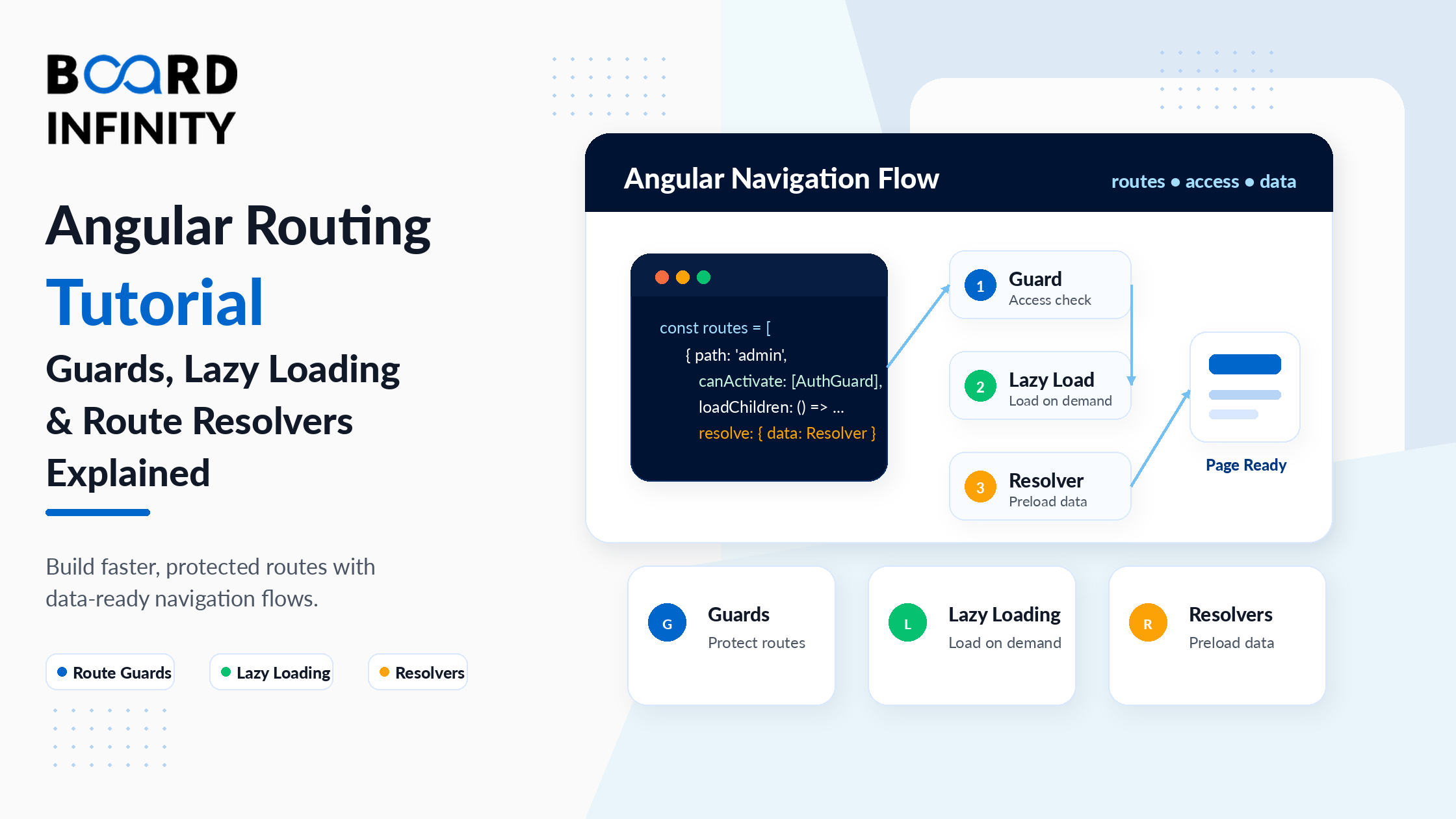
Angular is a Single Page Application (SPA) framework - the browser loads one HTML file, and Angular manages every subsequent navigation without a full page reload. The Angular Router is the system that makes this work. It maps URLs to components, handles browser history, manages data pre-loading, protects restricted pages, and controls which JavaScript bundles load and when. In a real Angular application, the Router is not a peripheral feature - it's the spine of the application architecture. Understanding the SPA model that Angular's router is built for - and why it differs fundamentally from traditional multi-page websites - is covered in Board Infinity's Single Page Applications vs Multi-Page Applications guide, which explains the performance advantages and architectural tradeoffs that make routing so central to Angular development.
Most Angular routing tutorials cover the basics well: define a route, add <router-outlet>, use routerLink. But production applications require significantly more. They need route guards to protect authenticated pages. They need lazy loading to keep initial bundle sizes small. They need resolvers to pre-fetch data before navigation completes. They need child routes for nested UI layouts. And they need proper wildcard route handling for 404 scenarios.
This tutorial covers the complete Angular routing picture - from your first route configuration through child routes, guards, lazy loading, resolvers, and 404 handling. Every section includes working Angular 21 code. By the end, you'll have a complete routing mental model that applies to any Angular application you build or join.
Who This Guide Is For
This guide is for you if you:
- Know Angular basics (components, services, templates) but want to master routing
- Have implemented basic routes but haven't used guards, resolvers, or lazy loading yet
- Are debugging Angular routing issues and want to understand the underlying mechanics
- Are preparing for an Angular developer interview where routing is always covered
- Want to understand how Angular's routing approach compares to other SPA frameworks - Board Infinity's Angular vs React vs Vue guide explains how Angular's built-in, opinionated router differs from React Router (a separate library) and Vue Router, and why Angular's routing-first architecture gives it structural advantages for large applications
1. Setting Up Angular Router
In Angular 21 with standalone architecture, the router is configured in app.config.ts using provideRouter(). This replaces the older RouterModule.forRoot() approach from module-based Angular. Angular's routing architecture is one of the most mature in the frontend ecosystem - a key part of why it remains a preferred choice for enterprise applications. Board Infinity's benefits of using Angular guide covers how Angular's built-in router, HTTP client, and dependency injection system work as a unified whole - unlike React's ecosystem where routing, HTTP, and DI are handled by separate third-party libraries with no guaranteed compatibility.
// app.config.ts - standalone app configuration import { ApplicationConfig } from '@angular/core'; import { provideRouter, withPreloading, PreloadAllModules, withDebugTracing } from '@angular/router'; import { provideHttpClient } from '@angular/common/http'; import { routes } from './app.routes';export const appConfig: ApplicationConfig = { providers: [ provideRouter( routes, withPreloading(PreloadAllModules), // lazy-load in background after init // withDebugTracing() // uncomment to log routing events in dev ), provideHttpClient() // needed for route resolvers ] };// main.ts - bootstraps the app with the config import { bootstrapApplication } from '@angular/platform-browser'; import { AppComponent } from './app/app.component'; import { appConfig } from './app/app.config';bootstrapApplication(AppComponent, appConfig);// app.component.ts - root component must include RouterOutlet @Component({ selector: 'app-root', standalone: true, imports: [RouterOutlet, RouterLink, RouterLinkActive], template: ` <router-outlet /> <!-- Angular renders matched route component here --> ` }) export class AppComponent {}
Adding withDebugTracing() to provideRouter() logs every routing event to the browser console - route recognition, guard execution, resolver completion, navigation start and end. It's invaluable when debugging why a route isn't loading, a guard isn't firing, or navigation is getting cancelled. Remove it before production - it adds significant console noise and minor overhead.
2. Defining Routes and Route Parameters
Routes are defined in app.routes.ts as an array of Route objects. Each route maps a URL path to a component. Angular matches URLs from top to bottom and renders the first matching route's component in the <router-outlet>. Static routes match exact path strings. Dynamic routes use :paramName segments to capture variable values from the URL. Query parameters are read separately from the URL query string (?key=value). The reactive approach to reading route parameters - using paramMap as an Observable with switchMap - connects directly to the JavaScript async patterns covered in Board Infinity's guide on Promise in JavaScript, which explains the async primitives that Angular's Observable-based routing builds upon.
// app.routes.ts
export const routes: Routes = [
  { path: '',                component: HomeComponent    },  // /
  { path: 'products',         component: ProductListComponent },  // /products
  { path: 'products/:id',     component: ProductDetailComponent }, // /products/42
  { path: 'products/:id/edit', component: ProductEditComponent  }, // /products/42/edit
  { path: 'search',           component: SearchComponent    },  // /search?q=laptop&sort=price
];// Reading path parameters in ProductDetailComponent
@Component({ selector: 'app-product-detail', standalone: true,
imports: [AsyncPipe, NgIf],
template: <div *ngIf="product$ | async as product">{{ product.name }}</div>
})
export class ProductDetailComponent implements OnInit {private route          = inject(ActivatedRoute);
private router         = inject(Router);
private productService = inject(ProductService);product$!: Observable<Product>;ngOnInit() {
// Reactive approach - handles route parameter changes without component reload
this.product$ = this.route.paramMap.pipe(
switchMap(params => {
const id = params.get('id')!;
return this.productService.getProduct(+id); // + converts string to number
})
);
}
}// Reading query parameters in SearchComponent
@Component({ selector: 'app-search', standalone: true, template: ... })
export class SearchComponent implements OnInit {private route = inject(ActivatedRoute);ngOnInit() {
// Reactive - updates when query params change without navigation
this.route.queryParamMap.subscribe(params => {
const query   = params.get('q')    ?? '';
const sortBy  = params.get('sort') ?? 'name';
console.log('Search:', query, 'Sort by:', sortBy);
});
}
}// Navigating programmatically with params and query params
this.router.navigate(['/products', productId], {
queryParams: { tab: 'reviews', highlight: 'true' }
});
// Results in URL: /products/42?tab=reviews&highlight=true
route.snapshot.paramMap.get('id') reads the parameter once when the component initializes. If the user navigates from /products/1 to /products/2 and Angular reuses the same component instance (which it does by default), the snapshot never updates. Use route.paramMap as an Observable with switchMap to handle parameter changes reactively. This pattern handles both initial load and same-component navigation correctly.
3. Child Routes and Nested Views
Child routes enable nested UI layouts where a parent component provides a shared layout (navigation, sidebar, breadcrumbs) and a <router-outlet> that renders different child components based on the current sub-route. This is the pattern behind tabbed interfaces, wizard flows, and section-based dashboards. The parent-child component relationship that child routes rely on is one of Angular's core architectural concepts - Board Infinity's guide on integrating Node.js APIs with Angular shows how this nested component model extends naturally to full-stack applications where child route components each fetch their own data from a backend API.
// app.routes.ts - account section with child routes export const routes: Routes = [ { path: 'account', component: AccountShellComponent, // parent: provides layout + router-outlet canActivate: [AuthGuard], // guard applies to ALL children children: [ { path: '', redirectTo: 'profile', pathMatch: 'full' }, { path: 'profile', component: ProfileComponent }, // /account/profile { path: 'orders', component: MyOrdersComponent }, // /account/orders { path: 'settings', component: SettingsComponent }, // /account/settings { path: 'security', component: SecurityComponent }, // /account/security ] } ]; // account-shell.component.ts - provides the shared account layout @Component({ selector: 'app-account-shell', standalone: true, imports: [RouterOutlet, RouterLink, RouterLinkActive], template: `<!-- Sidebar navigation - shared across all account routes --> <aside class="account-sidebar"> <h3>My Account</h3> <nav> <a routerLink="profile" routerLinkActive="active">Profile</a> <a routerLink="orders" routerLinkActive="active">Orders</a> <a routerLink="settings" routerLinkActive="active">Settings</a> <a routerLink="security" routerLinkActive="active">Security</a> </nav> </aside> <!-- Child route renders here --> <main class="account-content"> <router-outlet /> </main> </div> ` }) export class AccountShellComponent {}4. Route Guards: CanActivate, CanDeactivate, CanLoad
Route guards are functions (or classes) that Angular runs before navigation completes. They return
trueto allow navigation orfalse(or a redirect) to cancel it. Guards are the mechanism for authentication checks, permission verification, and unsaved-changes warnings. In Angular 21, guards are implemented as functional guards - plain functions rather than injectable classes - which is the modern, recommended approach. Understanding the broader context of route guards - why authentication-protected SPAs are structured this way - is covered in Board Infinity's frontend and backend in web development guide, which explains how Angular's frontend authentication guards work alongside backend API authentication to form a complete security layer.
Guard Type When It Runs Common Use Case Returns canActivateBefore entering a route Authentication check, role verification booleanorUrlTree(redirect)canActivateChildBefore entering any child route Apply auth check to all children at once booleanorUrlTreecanDeactivateBefore leaving a route Unsaved form changes warning booleanorObservable<boolean>canMatchBefore route is matched (replaces canLoad) Prevent lazy chunk download for unauthorized users booleanorUrlTreeTypeScript - Functional Guards: canActivate and canDeactivate// guards/auth.guard.ts - functional canActivate guard import { inject } from '@angular/core'; import { CanActivateFn, Router } from '@angular/router'; import { AuthService } from '../core/services/auth.service'; export const AuthGuard: CanActivateFn = (route, state) => { const authService = inject(AuthService); const router = inject(Router); if (authService.isLoggedIn()) { return true; // allow navigation } // Redirect to login, preserving the intended destination return router.createUrlTree(['/login'], { queryParams: { returnUrl: state.url } // /login?returnUrl=/account/orders }); }; // guards/admin.guard.ts - role-based guard export const AdminGuard: CanActivateFn = () => { const authService = inject(AuthService); const router = inject(Router); if (authService.hasRole('ADMIN')) { return true; } return router.createUrlTree(['/access-denied']); // redirect non-admins }; // guards/unsaved-changes.guard.ts - canDeactivate guard export interface CanDeactivateComponent { hasUnsavedChanges(): boolean; } export const UnsavedChangesGuard: CanDeactivateFn<CanDeactivateComponent> = (component) => { if (component.hasUnsavedChanges()) { return confirm('You have unsaved changes. Leave anyway?'); } return true; }; // Using guards in routes export const routes: Routes = [ { path: 'admin', canActivate: [AuthGuard, AdminGuard], // both must pass loadChildren: () => import('./features/admin/admin.routes').then(m => m.ADMIN_ROUTES) }, { path: 'products/:id/edit', canActivate: [AuthGuard], canDeactivate: [UnsavedChangesGuard], // warns if form has unsaved changes component: ProductEditComponent } ];Functional Guards vs Class-Based Guards - Which to UseAngular 14+ introduced functional guards as the modern, preferred approach. They're simpler: just a function with
inject()for dependencies. The older class-based approach (@Injectable() class AuthGuard implements CanActivate) still works but is considered legacy. For new Angular 21 projects, always use functional guards. If you're maintaining an older codebase with class-based guards, they continue to work - Angular maintains backward compatibility.5. Lazy Loading Feature Modules
Lazy loading defers the download of a feature's JavaScript bundle until the user actually navigates to that feature. The result: a smaller initial bundle, faster application startup, and the remaining bundles loading on demand (or in the background with
PreloadAllModules). In Angular 21 standalone architecture, you lazy load at the route level usingloadComponent(for single components) orloadChildren(for groups of routes defined in a separate file).Lazy loading is one of Angular's most significant performance advantages over simpler frameworks - and one of the reasons Angular maintains strong adoption for large-scale applications. Board Infinity's state of Angular guide covers how Angular's built-in lazy loading, combined with the CLI's automatic code splitting, gives it a performance edge in enterprise applications that Vue and React require additional configuration to match. For developers choosing between frameworks partly based on performance capabilities, Board Infinity's Angular vs React vs Vue 2025 comparison covers how each framework handles code splitting and bundle optimization.
TypeScript - Lazy Loading with loadComponent and loadChildren// app.routes.ts - lazy loading strategies export const routes: Routes = [ // Eagerly loaded - always in the initial bundle { path: '', component: HomeComponent }, // loadComponent - lazy loads a single standalone component // Good for: simple pages, infrequently visited routes { path: 'about', loadComponent: () => import('./pages/about/about.component') .then(m => m.AboutComponent) }, // loadChildren - lazy loads an entire feature's route tree // Good for: feature areas with multiple routes and components { path: 'products', loadChildren: () => import('./features/products/products.routes') .then(m => m.PRODUCT_ROUTES) // Angular creates a separate JS chunk: products.chunk.js // Downloaded ONLY when user first visits /products }, // With guard - guard runs BEFORE the lazy chunk downloads // If guard fails, the admin bundle is never downloaded { path: 'admin', canMatch: [AdminGuard], // prevents download for non-admins loadChildren: () => import('./features/admin/admin.routes') .then(m => m.ADMIN_ROUTES) } ]; // features/products/products.routes.ts - feature-level routes export const PRODUCT_ROUTES: Routes = [ { path: '', loadComponent: () => import('./containers/product-list/product-list.component') .then(m => m.ProductListComponent) }, { path: ':id', loadComponent: () => import('./containers/product-detail/product-detail.component') .then(m => m.ProductDetailComponent) } ];Use canMatch Instead of canLoad - canLoad Is Deprecated
canLoadwas the guard used to prevent lazy-loaded bundles from downloading for unauthorized users. In Angular 15+,canLoadis deprecated and replaced bycanMatch.canMatchworks the same way - if it returns false, Angular skips the route entirely (including the lazy chunk download) - but it's more flexible and integrates better with modern Angular's functional guard approach. Update anycanLoadusage tocanMatchin Angular 15+ projects.6. Route Resolvers: Pre-loading Data Before Navigation
Route resolvers fetch data before a route's component is initialized. Instead of navigating to a component that shows a loading spinner while it fetches data, the navigation waits until the resolver completes - then the component renders with data already available. This produces cleaner UX (no empty states or loading spinners inside the component) and simpler component code (no need to manage a loading state for initial data).
The async error handling inside resolvers - using
catchErrorand returningEMPTYto redirect on failure - connects to the JavaScript async patterns covered in Board Infinity's guide on async/await in JavaScript, which explains the async error handling foundations that Angular's Observable-based resolver pattern extends.TypeScript - Functional Route Resolver and Reading Resolved Data// resolvers/product.resolver.ts - functional resolver import { inject } from '@angular/core'; import { ResolveFn, Router } from '@angular/router'; import { catchError, EMPTY } from 'rxjs'; import { ProductService } from '../services/product.service'; import { Product } from '../models/product.model'; export const productResolver: ResolveFn<Product> = (route) => { const productService = inject(ProductService); const router = inject(Router); const id = +route.paramMap.get('id')!; return productService.getProduct(id).pipe( catchError(() => { // If product not found, redirect to 404 - component never loads router.navigate(['/not-found']); return EMPTY; // cancels navigation }) ); }; // Register resolver in route definition export const PRODUCT_ROUTES: Routes = [ { path: ':id', resolve: { product: productResolver // data available as route.snapshot.data['product'] }, loadComponent: () => import('./product-detail.component').then(m => m.ProductDetailComponent) } ]; // product-detail.component.ts - reads pre-loaded resolver data @Component({ selector: 'app-product-detail', standalone: true, template: <h1>{{ product.name }}</h1> <p>{{ product.price | currency }}</p> <!-- No loading spinner needed - data is ready when component renders --> }) export class ProductDetailComponent implements OnInit { private route = inject(ActivatedRoute); product!: Product; ngOnInit() { // Resolver data is available synchronously in ngOnInit this.product = this.route.snapshot.data['product']; // Or reactively for components that handle route reuse: // this.route.data.subscribe(data => this.product = data['product']); } }Always Handle Resolver Errors - or Navigation HangsIf a resolver's Observable throws an unhandled error, Angular cancels navigation and leaves the user on their current page with no feedback. Always pipe a
catchErroroperator in your resolvers. Either redirect to a 404 page (usingrouter.navigateand returningEMPTY) or return a fallback value. Never let resolver errors go unhandled in production - they create silent navigation failures that are very difficult to debug.7. Wildcard Routes and 404 Handling
A wildcard route (
path: '**') matches any URL that no other route matched. It must always be the last route in your route array - Angular evaluates routes top to bottom and applies the first match, so a wildcard at the top would catch every request. Wildcard routes serve two purposes: redirecting unrecognized URLs to a meaningful destination, and rendering a dedicated 404 page when a user lands on a URL that doesn't exist.Proper 404 handling is a professional standard that distinguishes production Angular applications from tutorial-level projects. Board Infinity's web development frameworks guide covers how SPAs - including Angular applications - handle URL routing and 404 scenarios differently from traditional server-rendered applications, and why Angular's client-side routing requires proper wildcard configuration to prevent blank-page experiences.
TypeScript - Wildcard Routes and 404 Handling// app.routes.ts - wildcard must be LAST export const routes: Routes = [ { path: '', component: HomeComponent }, { path: 'products', loadChildren: () => import('./features/products/products.routes').then(m => m.PRODUCT_ROUTES) }, { path: 'account', canActivate: [AuthGuard], component: AccountShellComponent }, { path: 'login', component: LoginComponent }, { path: 'not-found', component: NotFoundComponent }, // Wildcard - MUST be last - catches all unmatched URLs { path: '', redirectTo: 'not-found' } // Or render a component directly: { path: '', component: NotFoundComponent } ]; // not-found.component.ts - the 404 page @Component({ selector: 'app-not-found', standalone: true, imports: [RouterLink], template: <div class="not-found"> <h1>404 - Page Not Found</h1> <p>The page you're looking for doesn't exist or has been moved.</p> <a routerLink="/">Back to Home</a> </div> }) export class NotFoundComponent {} // Feature-level wildcard - catches unmatched routes within a feature export const PRODUCT_ROUTES: Routes = [ { path: '', component: ProductListComponent }, { path: ':id', component: ProductDetailComponent }, // Catches /products/anything-invalid and redirects to the list { path: '**', redirectTo: '' } ];Add a Feature-Level Wildcard to Every Feature Route FileTop-level wildcards catch URLs that don't match any top-level path. But if a user visits
/products/invalid-sub-path, they're inside the products feature and the top-level wildcard won't catch it - the products routes have already been entered. Add a{ path: '**', redirectTo: '' }as the last route in every feature route file to handle invalid URLs within each feature. This prevents users from being stuck on blank pages.Further Reading
Board Infinity Guides:
- Single Page Applications vs Multi-Page Applications
- Angular vs AngularJS - Key Differences Explained
- Benefits of Using Angular for Enterprise Development
- The State of Angular in 2022 - Relevance vs Legacy
- Angular vs React vs Vue - Which Framework to Choose in 2023
- Angular vs React vs Vue - Best Framework to Choose 2025
- Web Development Frameworks - A Complete Comparison
- Integrating Node.js with Angular
- Frontend and Backend in Web Development
- How to Become a Front-End Developer (Roadmap)
- Most Popular Front-End Frameworks in 2025
- Top 10 Front-End Development Projects
- Promise in JavaScript
- JavaScript Async and Await Function
- Async/Await in JavaScript Explained
- JavaScript Trends and Tools
External Resources:
- Angular Official Docs - Router
- Angular Official Docs - Lazy Loading
- Angular Official Docs - Route Guards
🚀 Build a Full Angular App With RoutingAngular Foundation & Application Architecture on Coursera
This free Coursera course by Board Infinity takes every routing concept in this guide - route configuration, child routes, guards, lazy loading, and standalone architecture - and applies them through a complete, real Angular 21 project. Module 4 is dedicated entirely to navigation and routing implementation.
Start Learning Angular on Coursera →Module 1Angular Essentials: The Modern Frontend Core Angular 21 architecture, TypeScript mastery, Angular CLI, standalone vs module-based setup - the foundation that makes routing make senseModule 2Components, Templates & Interaction Patterns Component architecture, lifecycle hooks, @Input/@Output, directives, and data binding - the component layer that route-matched components are built fromModule 3Forms, Validation & Reactive UI Patterns Reactive and template-driven forms, validators, and UI state management - essential for forms inside routed components with canDeactivate guardsModule 4Navigation, Standalone Architecture & Project Foundation Configuring routes, route params, query params, route guards, standalone components, lazy loading, and implementing the complete routing structure of a real Angular project✓ Certificate available · ✓ Self-paced · ✓ Real project milestones
Conclusion
Angular routing is the connective tissue of every SPA. The router matches URLs to components, manages browser history, controls which code loads and when, protects restricted areas through guards, and pre-populates components with data through resolvers. Mastering it means mastering the flow of every Angular application you'll build or join.
The seven concepts in this guide - router setup, route parameters, child routes, guards, lazy loading, resolvers, and wildcard handling - cover the complete Angular routing surface. Each builds on the previous: parameters let routes be dynamic, child routes enable nested layouts, guards protect entry and exit, lazy loading keeps bundles small, and resolvers eliminate loading states by ensuring data arrives before components render.
The most impactful routing practice to start with immediately is lazy loading: apply
loadChildrento every feature route from day one and usePreloadAllModulesto background-load the remaining chunks. This single change dramatically improves your application's perceived performance and scales to large applications without any architectural rework. For developers who want to build a complete Angular portfolio project that showcases routing, guards, and lazy loading in action, Board Infinity's front-end development projects guide covers project ideas that are ideal for demonstrating these production-grade routing patterns.
