
while True in Python: How It Works, When to Use It & Best Practices
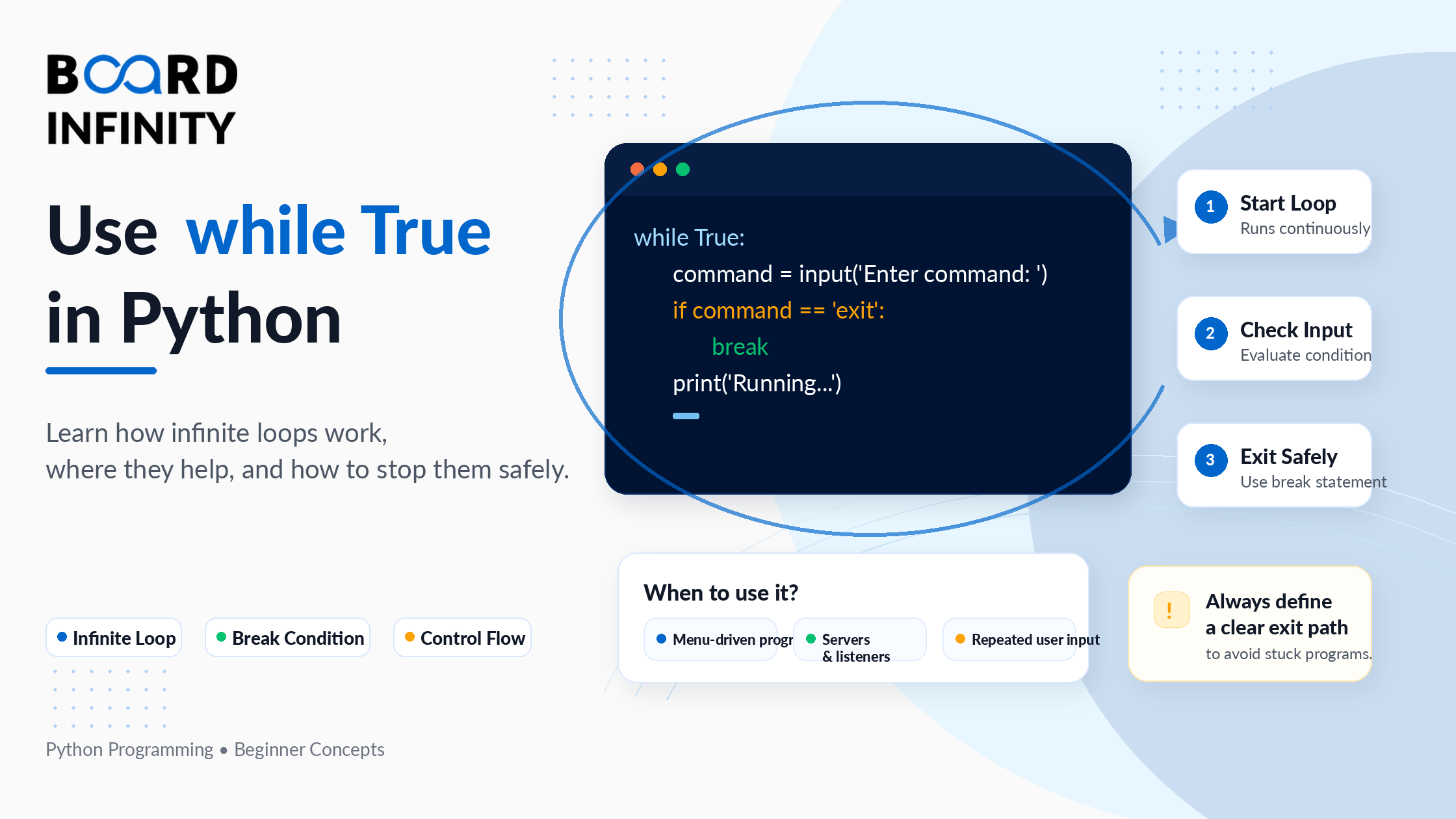
You have seen while True: in Python code and wondered why anyone would write a loop that is permanently true. It looks like a bug - a loop with no exit condition. But it is actually one of the most deliberate and useful patterns in Python, once you understand how to control it.
In Python, while True creates an infinite loop - a loop that keeps running until something inside it tells it to stop. That "something" is almost always a break statement, a try-except block, or a condition that triggers an exit. The loop itself is intentionally endless; the exit logic lives inside it.
This guide covers everything you need: what while True means, how the while loop works, how to use break, continue, and else with it, five real-world use cases with working code, common mistakes to avoid, and best practices that separate clean Python from accidental infinite loops. If you want to strengthen your Python foundation, Board Infinity's guide on boolean in Python explains exactly why True always evaluates to True and how Python handles boolean logic underneath.
Who This Guide Is For
What is a while Loop in Python?
Before understanding while True, you need a solid grasp of how the while loop works. A while loop runs a block of code repeatedly for as long as a given condition evaluates to True. The moment the condition becomes False, the loop stops and execution moves to the next line after the loop.
What Does while True Mean in Python?
while True is a while loop where the condition is the Python built-in constant True. Since True never changes its value - it is always True - the loop has no natural stopping point built into its condition. It will run forever unless something inside the loop body explicitly exits it.
Understanding Python's boolean data type makes this clearer - True is a constant with a fixed value of 1 that can never be reassigned or made False from outside the loop.
How to Use while True with break in Python
The break statement is the primary tool for controlling a while True loop. When Python hits a break, it immediately exits the loop - no matter how many iterations remain. The break is almost always placed inside an if statement so it only triggers when a specific condition is met.
This is the core pattern of while True in Python: loop forever, check a condition inside, break when done.
Using continue Inside while True
The continue statement skips the rest of the current iteration and jumps straight back to the top of the loop - re-evaluating the condition (which is always True) and starting the next iteration. Unlike break, continue does not exit the loop - it just skips what comes after it in the current iteration.
This is useful when you want to ignore certain inputs or conditions without breaking the loop entirely. It pairs naturally with the not equal operator in Python to filter out unwanted values on each iteration.
Using else with while True
Python's while loop has an optional else clause that most developers never use. The else block runs only if the loop exits normally - meaning the condition became False naturally. If the loop exits via a break statement, the else block is skipped entirely.
With while True, the condition never becomes False naturally, so the else block only runs if the loop is somehow exited without a break. In practice, this means while True with else is rarely used - but understanding it matters for debugging and for reading other people's Python code.
while True vs Regular while Loop: When to Use Which
Both constructs create loops, but they serve different purposes. Choosing the wrong one makes your code harder to read and reason about.
5 Real-World Use Cases of while True in Python
Understanding the theory of while True is one thing. Knowing exactly when to reach for it is what separates a developer who reads it in textbooks from one who uses it fluently. These five patterns cover the most common real-world applications.
Use Case 1: Input Validation Loop
Use Case 2: Simple Game Loop
Use Case 3: Retry Logic with time.sleep()
Use Case 4: CLI Menu Loop
Use Case 5: try-except Inside while True for Error Handling
Common Mistakes with while True in Python
Most bugs involving while True fall into predictable patterns. Here are the four most common ones - and how to fix each.
Best Practices for while True in Python
Conclusion
while True in Python is not a mistake - it is a deliberate and powerful pattern for loops whose exit condition lives inside the loop body rather than in the condition clause. The three things to take away: first, while True always needs a break - without it, the loop genuinely runs forever. Second, continue and break behave differently - continue skips to the next iteration, break exits the loop entirely. Third, time.sleep() and try-except are not optional extras in production loops - they are essential safety mechanisms.
Use while True when you need input validation loops, game loops, CLI menus, retry logic, or long-running service loops. Use a regular while condition: loop when you know the iteration count upfront or have a simple condition to check.
The best way to solidify this is to write code. Start with the input validation example, then build the CLI menu, then add the retry logic with time.sleep(). Each one teaches a different dimension of how while True works in real Python programs. Board Infinity's guide on while loops in Python covers the broader while loop mechanics that underpin everything you have just learned.
Frequently Asked Questions
Q1. What does while True mean in Python? while True creates an infinite loop - a loop with no natural exit condition. The True keyword is Python's boolean constant that is always truthy, so the loop condition never becomes False on its own. The loop runs forever until a break statement, a return, or an exception exits it from inside the loop body.
Q2. How do you stop a while True loop in Python? Use a break statement inside the loop body, typically inside an if condition that checks when the work is done. You can also use return if the loop is inside a function, or sys.exit() to terminate the entire program. During development, press Ctrl + C in the terminal to force-stop a running loop.
Q3. What is the difference between while True and while condition in Python? With while condition, the exit logic is in the loop's condition clause - the loop stops automatically when the condition becomes False. With while True, the loop has no automatic exit - all exit logic must be written inside the loop body using break. Use while True when the exit condition is complex or multi-path; use while condition when the stopping point is simple and predictable.
Q4. What is while True: break in Python? while True: break is a loop that starts and immediately exits on the first iteration because break is the first thing executed. In practice this is equivalent to no loop at all - it is sometimes seen in example code demonstrating break behaviour, but has no real-world use case.
Q5. Does while True cause high CPU usage in Python? It can. A while True loop that continuously checks a condition without pausing will execute thousands of times per second and max out the CPU. Always add time.sleep() to any polling loop. Even time.sleep(0.1) reduces CPU load dramatically while keeping the loop responsive.
Q6. Can you use continue inside while True? Yes. continue skips the rest of the current iteration and jumps back to the top of the loop, re-evaluating the condition (which is always True) and starting the next iteration. It is useful for skipping invalid inputs or error states without exiting the loop entirely.
Q7. What happens if there is no break in a while True loop? The loop runs indefinitely until the program is externally interrupted (Ctrl+C), an unhandled exception occurs, or the system terminates the process. Always ensure every while True loop has at least one reachable break statement.
Further Reading
Board Infinity Guides:
- While Loop in Python
- Boolean in Python
- Not Equal Operator in Python
- Or Operator in Python
- Ternary Operator in Python
- JavaScript Async and Await Function (for those exploring event-driven alternatives to polling loops)
External Resources:
- Python Official Docs - The while statement - the authoritative specification for how Python evaluates while conditions and processes break and continue
- Real Python - Python while Loops - in-depth guide covering indefinite iteration, one-line while loops, and infinite loop patterns with practical examples
- Python Docs - time.sleep() - official documentation for the time module's sleep function, essential for throttling while True polling loops
