
Spring Boot: Auto-Configuration, REST APIs, JPA & Security
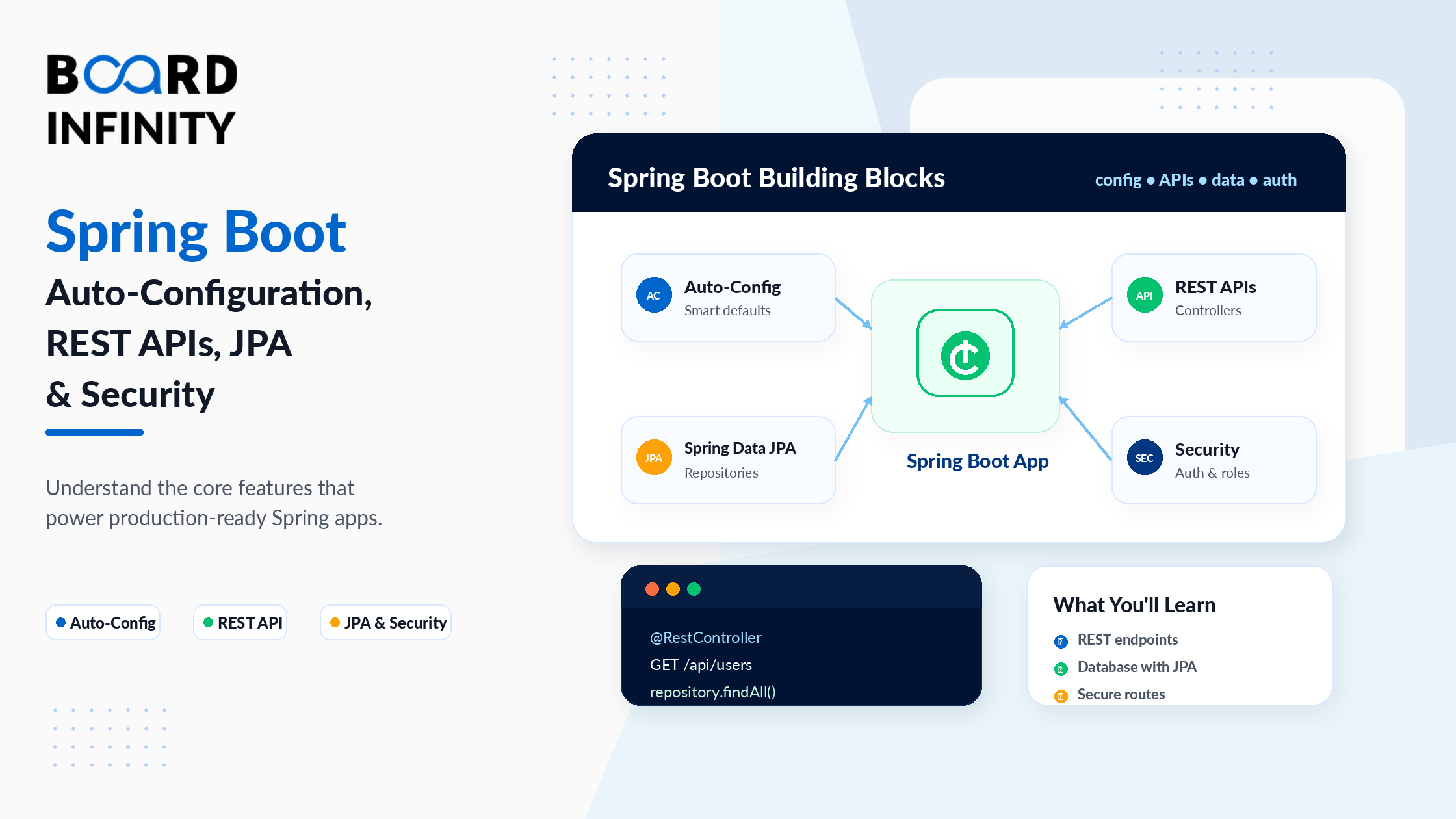
Spring Boot has been the #1 Java backend framework for years - and in 2026, it's more dominant than ever. It powers fintech platforms, e-commerce backends, healthcare APIs, and enterprise microservices across industries. If you're building Java backends professionally, Spring Boot is not optional knowledge - it's the baseline.
But Spring Boot's reputation for being "easy to start, hard to master" is well-earned. The starter projects get you to a running server in minutes. The confusion starts when you try to understand why it works - why auto-configuration kicks in, how JPA entities map to database tables, how Spring Security 6's filter chain actually secures your endpoints, and where JWT tokens fit into the authentication flow. Most tutorials show you what to type. This guide explains what's happening as you type it.
This guide covers the complete Spring Boot stack - from auto-configuration and application.yml through JPA and REST APIs to Spring Security 6 with JWT authentication. Every section includes real, production-style code. By the end, you'll have a clear mental model of how all the pieces fit together into a complete, secured backend application. If you need to strengthen your Java and Spring MVC foundation first, Board Infinity's guides on core Java concepts and syntax and OOP concepts in Java are the ideal starting points - Spring Boot's entire dependency injection and annotation model is built on Java's class, interface, and object system.
Who This Guide Is For
This guide is for developers who:
- Know Java basics and have some Spring MVC exposure
- Want a complete, end-to-end Spring Boot reference for 2026
- Have started Spring Boot tutorials but want to understand the full picture
- Are building their first production-grade Spring Boot API
- Want to understand how Spring Boot fits into the broader Java backend ecosystem - Board Infinity's Essentials of Back-End Development: From APIs to Databases covers the full backend architecture picture that Spring Boot implements
1. Spring Boot Auto-Configuration: How It Removes Boilerplate
The most transformative thing Spring Boot does is auto-configuration - and most developers use it daily without understanding the mechanism. When you add spring-boot-starter-web to your pom.xml, Spring Boot automatically configures an embedded Tomcat server, a DispatcherServlet, Jackson for JSON serialisation, and dozens of sensible defaults - all without a single XML file or @Bean declaration from you.
The mechanism is @EnableAutoConfiguration, which is included in @SpringBootApplication. At startup, Spring Boot scans META-INF/spring/org.springframework.boot.autoconfigure.AutoConfiguration.imports in every JAR on the classpath, finds auto-configuration classes, and applies them conditionally - only if the required classes are present and the bean isn't already configured by the developer.
The key insight: auto-configuration is conditional. DataSourceAutoConfiguration only applies if you have a database driver on the classpath. SecurityAutoConfiguration only applies if you have spring-security-web present. You can override any auto-configured bean by declaring your own. Your declaration takes priority. This is the "convention over configuration" philosophy in action. The Java class and annotation system that makes this possible - specifically how @Configuration classes and @Bean methods work - is rooted in the classes and objects model covered in Board Infinity's classes and objects in Java guide.
// @SpringBootApplication = 3 annotations combined:
// @Configuration + @EnableAutoConfiguration + @ComponentScan
@SpringBootApplication
public class StoreApplication {
    public static void main(String[] args) {
        SpringApplication.run(StoreApplication.class, args);
    }
}// What auto-configuration gives you for FREE with spring-boot-starter-web:
// - Embedded Tomcat on port 8080
// - DispatcherServlet mapped to "/"
// - Jackson ObjectMapper for JSON
// - Default error handling at /error
// - ContentNegotiation (JSON by default)// Overriding auto-config: your @Bean takes priority over auto-config
@Configuration
public class JacksonConfig {@Bean
public ObjectMapper objectMapper() {
    // Your custom ObjectMapper replaces Spring Boot's auto-configured one
    return new ObjectMapper()
        .configure(DeserializationFeature.FAIL_ON_UNKNOWN_PROPERTIES, false)
        .setSerializationInclusion(JsonInclude.Include.NON_NULL);
}
}
Run your Spring Boot app with --debug flag or add debug=true to application.yml. Spring Boot prints a "CONDITIONS EVALUATION REPORT" showing every auto-configuration class, whether it was applied, and if not, why. This is invaluable when a feature isn't working as expected - it shows exactly which condition failed to activate the auto-config you expected.
2. Starter Dependencies - What They Are and When to Use Them
Starter dependencies are Spring Boot's curated dependency bundles. Instead of adding 8 separate Maven dependencies for a web application, you add one: spring-boot-starter-web. Spring Boot manages compatible versions and brings in everything that technology needs to work together.
Every starter follows the naming convention spring-boot-starter-{technology}. The most common starters cover web, data, security, validation, testing, and messaging. Understanding what each starter includes helps you avoid adding conflicting dependencies and explains why certain auto-configurations activate. The interface-based architecture that makes starters composable - where spring-boot-starter-security brings in Spring Security's filter interfaces that you then implement - is covered in Board Infinity's multiple inheritance in Java guide, which explains how Java interfaces allow different starters to plug into Spring's unified application context without conflicts.
| Starter | What It Includes | Auto-Configures | Use When |
|---|---|---|---|
spring-boot-starter-web |
Spring MVC, Tomcat, Jackson | DispatcherServlet, JSON serialisation | Building REST APIs or web apps |
spring-boot-starter-data-jpa |
Hibernate, Spring Data JPA, JDBC | DataSource, EntityManagerFactory, repositories | Connecting to a relational database |
spring-boot-starter-security |
Spring Security, Spring Security Web | SecurityFilterChain, basic auth by default | Adding authentication and authorisation |
spring-boot-starter-validation |
Hibernate Validator, Jakarta Validation | Method validation, @Valid support | Validating request bodies and method parameters |
spring-boot-starter-test |
JUnit 5, Mockito, AssertJ, MockMvc | Test slices (@WebMvcTest, @DataJpaTest) | Writing unit and integration tests |
3. application.yml Deep Dive - Profiles, Properties, and Bindings
application.yml (or application.properties) is where you configure your Spring Boot application's runtime behaviour - database URLs, server ports, security settings, custom properties, and environment-specific overrides. Understanding its structure and the profile system is essential for managing development, staging, and production configurations cleanly.
Spring Profiles let you define environment-specific configuration in the same file (or separate files) and activate the right one per environment. The spring.profiles.active property determines which profile is active - set it in the YAML, as an environment variable, or as a command-line argument. The @ConfigurationProperties binding classes - JwtProperties and PaginationProperties - use private fields with getters and setters. This is the encapsulation principle directly applied to configuration management. Board Infinity's guide on abstraction vs encapsulation in Java explains why this pattern matters: the jwtSecret field in JwtProperties must be private - exposing it publicly would make the signing secret accessible to any component that injects the properties class, creating a security leak.
# application.yml - shared config for all environments
spring:
  application:
    name: store-api
  profiles:
    active: development  # override with env var: SPRING_PROFILES_ACTIVE=production
server:
port: 8080
app:
jwt:
secret: "your-256-bit-secret-key-here"
expiry-ms: 86400000  # 24 hours
pagination:
default-size: 20
max-size: 100

# Development profile - uses H2 in-memory database
spring:
config:
activate:
on-profile: development
datasource:
url: jdbc:h2:mem:storedb
driver-class-name: org.h2.Driver
jpa:
show-sql: true
hibernate:
ddl-auto: create-drop

# Production profile - uses PostgreSQL
spring:
config:
activate:
on-profile: production
datasource:
url: ${DATABASE_URL}         # reads from environment variable
username: ${DATABASE_USER}
password: ${DATABASE_PASS}
jpa:
show-sql: false
hibernate:
ddl-auto: validate          # never auto-create in production
// Bind app.jwt.* properties to this class
@ConfigurationProperties(prefix = "app.jwt")
public class JwtProperties {
    private String secret;
    private long   expiryMs;
public String getSecret()   { return secret; }
public long   getExpiryMs() { return expiryMs; }
public void   setSecret(String s)   { this.secret = s; }
public void   setExpiryMs(long ms)  { this.expiryMs = ms; }
}
// Bind app.pagination.* properties
@ConfigurationProperties(prefix = "app.pagination")
public class PaginationProperties {
private int defaultSize = 20;
private int maxSize     = 100;
public int getDefaultSize() { return defaultSize; }
public int getMaxSize()     { return maxSize; }
public void setDefaultSize(int s) { this.defaultSize = s; }
public void setMaxSize(int m)     { this.maxSize = m; }
}
// Enable both in @SpringBootApplication class
@SpringBootApplication
@EnableConfigurationProperties({JwtProperties.class, PaginationProperties.class})
public class StoreApplication { /* ... */ }
spring.jpa.hibernate.ddl-auto controls whether Hibernate modifies your database schema on startup. create drops and recreates all tables. create-drop drops everything on shutdown. These are only safe for development. In production, use validate (verifies schema matches entities without changing anything) or none. Manage production schema changes with a migration tool like Flyway or Liquibase.
4. Connecting to Databases: JPA, Hibernate, and Spring Data
Spring Data JPA is Spring Boot's database abstraction layer. It combines two technologies: JPA (Jakarta Persistence API) - the specification for object-relational mapping - and Hibernate - the most widely used JPA implementation. Together they let you define Java classes as database table mappings, write zero-SQL queries using method names, and manage database relationships through annotations.
The three components you work with every day are: @Entity classes (your Java representation of database tables), JpaRepository interfaces (your data access layer), and @Transactional (controlling when database operations commit or roll back).
The JpaRepository<Product, Long> generic type parameters - where Product is the entity type and Long is the ID type - are Java generics in direct action. Board Infinity's generics in Java guide explains what these angle brackets mean: <T, ID> defines the type contract for the entire repository interface, and understanding generics makes every repository declaration self-explanatory rather than mysterious boilerplate. The List<Product> return types from derived query methods, and the Page<Product> pagination return types, are also generics throughout. The collections used in JPA - List, Set for entity relationships - connect directly to Board Infinity's Java List guide and HashSet in Java guide.
// Entity - maps to "products" table in the database
@Entity
@Table(name = "products")
public class Product {
@Id
@GeneratedValue(strategy = GenerationType.IDENTITY)
private Long id;

@Column(nullable = false, length = 100)
private String name;

@Column(nullable = false)
private Double price;

@ManyToOne(fetch = FetchType.LAZY)
@JoinColumn(name = "category_id")
private Category category;

@CreationTimestamp
private LocalDateTime createdAt;

// getters and setters...
}
// Repository - Spring Data generates all implementations
public interface ProductRepository extends JpaRepository<Product, Long> {
// Spring generates SQL: SELECT * FROM products WHERE name = ?
List<Product> findByName(String name);

// Spring generates SQL: SELECT * FROM products WHERE price < ? ORDER BY price ASC
List<Product> findByPriceLessThanOrderByPriceAsc(Double maxPrice);

// Custom JPQL query
@Query("SELECT p FROM Product p WHERE p.category.name = :category AND p.price BETWEEN :min AND :max")
Page<Product> findByCategoryAndPriceRange(
    @Param("category") String category,
    @Param("min") Double min,
    @Param("max") Double max,
    Pageable pageable
);
}
// Service with @Transactional
@Service
public class ProductService {
private final ProductRepository productRepository;

public ProductService(ProductRepository productRepository) {
    this.productRepository = productRepository;
}

@Transactional
public Product createProduct(CreateProductRequest req) {
    Product product = new Product();
    product.setName(req.getName());
    product.setPrice(req.getPrice());
    return productRepository.save(product); // INSERT committed on method return
}

public Page<Product> getProducts(int page, int size) {
    return productRepository.findAll(PageRequest.of(page, size));
}
}
By default, @ManyToOne uses FetchType.EAGER - which loads the related entity immediately every time you load the owning entity. For a Product with a Category, this means every findAll() on products loads all their categories too. In a list of 1000 products, that's 1000 extra queries (the N+1 problem). Use FetchType.LAZY and let the service layer explicitly load relationships when needed via @EntityGraph or JOIN FETCH queries.
5. Building Full REST APIs: Service - Controller - Repository
A well-structured Spring Boot REST API has three clearly separated layers: the repository layer handles all database access, the service layer contains all business logic and orchestration, and the controller layer handles HTTP - routing, request parsing, response formatting, and validation. Each layer has one responsibility and communicates with the layer below it.
This separation makes testing, debugging, and extending the application dramatically easier. When a bug occurs, you know exactly which layer to look in. When a requirement changes, you know exactly which layer to modify.
The Page.map(this::toDto) stream transformation in the service layer - converting a Page<Product> to Page<ProductDto> using a method reference - is the same functional transformation pattern covered in Board Infinity's map stream in Java guide. The .orElseThrow(() -> new CategoryNotFoundException(...)) Optional pattern used when loading the category is covered in Board Infinity's throw and throws in Java guide - understanding the distinction between checked and unchecked exceptions determines whether Spring's @Transactional rolls back on your custom exception automatically (it does for unchecked RuntimeException subclasses, not for checked exceptions by default).
// DTO - data transfer object for API request/response
public record ProductDto(Long id, String name, Double price, String category) {}
public record CreateProductRequest(
@NotBlank String name,
@Positive Double price,
@NotNull  Long   categoryId
) {}
// CONTROLLER LAYER - HTTP handling only
@RestController
@RequestMapping("/api/products")
public class ProductController {
private final ProductService productService;

public ProductController(ProductService productService) {
    this.productService = productService;
}

@GetMapping
public Page<ProductDto> getAll(
        @RequestParam(defaultValue = "0")  int page,
        @RequestParam(defaultValue = "20") int size) {
    return productService.getProducts(page, size);
}

@PostMapping
public ResponseEntity<ProductDto> create(
        @Valid @RequestBody CreateProductRequest request) {
    ProductDto created = productService.create(request);
    return ResponseEntity.status(201).body(created);
}
}
// SERVICE LAYER - business logic and DTO mapping
@Service
public class ProductService {
private final ProductRepository productRepository;
private final CategoryRepository categoryRepository;

public ProductService(ProductRepository pr, CategoryRepository cr) {
    this.productRepository  = pr;
    this.categoryRepository = cr;
}

public Page<ProductDto> getProducts(int page, int size) {
    return productRepository
        .findAll(PageRequest.of(page, size))
        .map(this::toDto); // map entity to DTO
}

@Transactional
public ProductDto create(CreateProductRequest req) {
    Category category = categoryRepository.findById(req.categoryId())
        .orElseThrow(() -> new CategoryNotFoundException(req.categoryId()));

    Product product = new Product();
    product.setName(req.name());
    product.setPrice(req.price());
    product.setCategory(category);

    return toDto(productRepository.save(product));
}

private ProductDto toDto(Product p) {
    return new ProductDto(p.getId(), p.getName(), p.getPrice(),
        p.getCategory() != null ? p.getCategory().getName() : null);
}
}
6. Spring Security 6: Authentication, Roles, and JWT
Spring Security 6 (released with Spring Boot 3) introduced a cleaner, lambda-based configuration approach that replaces the deprecated WebSecurityConfigurerAdapter. The core concept remains the same: a SecurityFilterChain of filters intercepts every HTTP request and enforces your security rules before the request reaches your controller.
The standard authentication flow for a modern REST API is: the client sends credentials (username + password) to a login endpoint, the server validates them, generates a JWT token, and returns it. For subsequent requests, the client includes the JWT in the Authorization: Bearer {token} header. A custom filter validates the token and sets the security context before the request reaches the controller.
The JwtAuthFilter extends OncePerRequestFilter and @Override protected void doFilterInternal(...) pattern uses Java's method override mechanism directly. Board Infinity's overloading vs overriding guide covers why @Override matters here: if the method signature doesn't match OncePerRequestFilter's abstract method exactly, without @Override the annotation would compile silently as a new method rather than an override - and the JWT filter would never run. The UserDetailsService interface that UserDetailsServiceImpl implements is the interface-based abstraction covered in Board Infinity's abstraction in Java guide - Spring Security calls loadUserByUsername() through the interface, completely decoupled from your specific database implementation. The SecurityContextHolder that stores authenticated user per thread uses the Singleton pattern covered in Board Infinity's singleton class in Java guide.
@Configuration
@EnableWebSecurity
@EnableMethodSecurity // enables @PreAuthorize on methods
public class SecurityConfig {
private final JwtAuthFilter           jwtAuthFilter;
private final UserDetailsServiceImpl   userDetailsService;

public SecurityConfig(JwtAuthFilter jwtFilter,
                       UserDetailsServiceImpl uds) {
    this.jwtAuthFilter    = jwtFilter;
    this.userDetailsService = uds;
}

@Bean
public SecurityFilterChain securityFilterChain(HttpSecurity http) throws Exception {
    return http
        .csrf(csrf -> csrf.disable())        // REST APIs don't need CSRF
        .sessionManagement(sm -> sm
            .sessionCreationPolicy(SessionCreationPolicy.STATELESS)) // no sessions - JWT
        .authorizeHttpRequests(auth -> auth
            .requestMatchers("/api/auth/**").permitAll()   // login/register open
            .requestMatchers("/api/public/**").permitAll() // public endpoints
            .requestMatchers(HttpMethod.GET, "/api/products/**").permitAll() // read-only public
            .requestMatchers("/api/admin/**").hasRole("ADMIN") // admin only
            .anyRequest().authenticated())               // everything else needs auth
        .addFilterBefore(jwtAuthFilter, UsernamePasswordAuthenticationFilter.class)
        .build();
}

@Bean
public PasswordEncoder passwordEncoder() {
    return new BCryptPasswordEncoder(); // never store plain-text passwords
}

@Bean
public AuthenticationManager authManager(AuthenticationConfiguration config)
        throws Exception {
    return config.getAuthenticationManager();
}
}
// JWT utility - generates and validates tokens
@Component
public class JwtUtils {
private final JwtProperties jwtProperties;

public JwtUtils(JwtProperties jwtProperties) {
    this.jwtProperties = jwtProperties;
}

public String generateToken(UserDetails userDetails) {
    return Jwts.builder()
        .subject(userDetails.getUsername())
        .issuedAt(new Date())
        .expiration(new Date(System.currentTimeMillis() + jwtProperties.getExpiryMs()))
        .signWith(getSignKey())
        .compact();
}

public String  extractUsername(String token) {
    return extractClaims(token).getSubject();
}

public boolean isTokenValid(String token, UserDetails userDetails) {
    final String username = extractUsername(token);
    return username.equals(userDetails.getUsername()) && !isTokenExpired(token);
}

private boolean isTokenExpired(String token) {
    return extractClaims(token).getExpiration().before(new Date());
}

private Claims extractClaims(String token) {
    return Jwts.parser()
        .verifyWith(getSignKey())
        .build()
        .parseSignedClaims(token)
        .getPayload();
}

private SecretKey getSignKey() {
    byte[] keyBytes = Decoders.BASE64.decode(jwtProperties.getSecret());
    return Keys.hmacShaKeyFor(keyBytes);
}
}
// JWT filter - runs on every request before authentication
@Component
public class JwtAuthFilter extends OncePerRequestFilter {
private final JwtUtils             jwtUtils;
private final UserDetailsService   userDetailsService;

public JwtAuthFilter(JwtUtils jwtUtils, UserDetailsService uds) {
    this.jwtUtils           = jwtUtils;
    this.userDetailsService = uds;
}

@Override
protected void doFilterInternal(HttpServletRequest request,
                                   HttpServletResponse response,
                                   FilterChain chain) throws IOException, ServletException {

    final String authHeader = request.getHeader("Authorization");

    if (authHeader == null || !authHeader.startsWith("Bearer ")) {
        chain.doFilter(request, response); // no token - continue without auth
        return;
    }

    final String jwt      = authHeader.substring(7);
    final String username = jwtUtils.extractUsername(jwt);

    if (username != null && SecurityContextHolder.getContext().getAuthentication() == null) {
        UserDetails userDetails = userDetailsService.loadUserByUsername(username);

        if (jwtUtils.isTokenValid(jwt, userDetails)) {
            UsernamePasswordAuthenticationToken authToken =
                new UsernamePasswordAuthenticationToken(
                    userDetails, null, userDetails.getAuthorities());
            authToken.setDetails(new WebAuthenticationDetailsSource().buildDetails(request));
            SecurityContextHolder.getContext().setAuthentication(authToken);
        }
    }
    chain.doFilter(request, response);
}
}
Your JWT signing secret must never be hardcoded in source code or committed to version control. Use an environment variable (APP_JWT_SECRET) and reference it in application.yml as ${APP_JWT_SECRET}. The secret should be at least 256 bits (32 bytes) long for HMAC-SHA256. Generate one with: openssl rand -base64 32. In production, use a secrets manager (AWS Secrets Manager, HashiCorp Vault) rather than environment variables.
7. The Complete Request Lifecycle: From HTTP Request to JSON Response
Understanding how all the layers connect is what separates a developer who can follow tutorials from one who can debug and extend a Spring Boot application confidently. Here's the complete flow for an authenticated API request:
Step 1 - HTTP Request arrives at the embedded Tomcat server.
Step 2 - Security Filter Chain runs. The JwtAuthFilter reads the Authorization header, validates the JWT, and sets the authenticated user in the security context.
Step 3 - DispatcherServlet routes the request to the matching @RestController method.
Step 4 - @Valid triggers Bean Validation on the @RequestBody.
Step 5 - Controller calls Service - no business logic in the controller.
Step 6 - Service runs business logic, calls the repository, maps entities to DTOs, applies @Transactional boundaries.
Step 7 - Repository queries the database via Spring Data JPA and Hibernate.
Step 8 - Response travels back through the layers: DTO serialised to JSON by Jackson, wrapped in ResponseEntity, sent back through Tomcat.
The entire request lifecycle - from HTTP arrival through security, through the three layers, to JSON response - flows through Java's servlet model at every step. Board Infinity's understanding servlets in Java guide explains the Java servlet foundation that Spring Boot's embedded Tomcat, DispatcherServlet, and JwtAuthFilter all build on. The understanding wrapper class in Java guide is also relevant throughout this stack - Long (not long) in entity IDs, Double (not double) in price fields, and Integer pagination parameters all use Java's wrapper types for the nullability that JPA and Spring's web layer require.
Further Reading
Board Infinity Guides:
- Core Java Concepts and Syntax
- OOP Concepts in Java
- Classes and Objects in Java
- Abstraction in Java
- Abstraction vs Encapsulation in Java
- Understanding Polymorphism in Java
- Multiple Inheritance in Java - Interfaces
- Method Overloading vs Overriding in Java
- Understanding Singleton Class in Java
- Understanding Servlets in Java
- Generics in Java
- Understanding Wrapper Class in Java
- Learn About Java List
- Understand HashSet in Java
- Learn About Map Stream in Java
- Learn About Throw and Throws in Java
- Essentials of Back-End Development: From APIs to Databases
External Resources:
Spring Boot, Spring Security & Application Finalization on Coursera
This free Coursera course by Board Infinity takes every concept in this guide and applies it through a complete, end-to-end project build. You'll go from a blank Spring Boot project to a fully secured REST API with JPA, pagination, JWT authentication, and production-ready code quality.
✓ Certificate available · ✓ Self-paced · ✓ Beginner-friendly
Conclusion
Spring Boot's power comes from how its components work together as a system. Auto-configuration removes boilerplate by making opinionated defaults that you override only when needed. Starter dependencies ensure compatible versions and activate the right auto-configurations. application.yml with profiles gives you clean environment management. Spring Data JPA removes the need to write SQL for standard operations. The three-layer architecture keeps concerns separated and code maintainable. Spring Security 6 with JWT provides stateless authentication that scales.
The developers who build production-grade Spring Boot applications quickly are not the ones who memorised the most annotations. They're the ones who understand how each layer communicates with the next - from the incoming HTTP request, through the security filter chain, down through controller and service to the database, and back up as a clean JSON response. That mental model is what this guide has walked through.
With this foundation - auto-configuration, JPA, REST APIs, and Spring Security 6 with JWT - you have the complete toolkit for building professional Java backends in 2026. The next steps from here are testing (unit tests with Mockito, integration tests with @SpringBootTest), containerisation with Docker, and deployment - all of which build directly on the architecture established in this guide. The Java fundamentals that underpin every layer of this stack - polymorphism, encapsulation, generics, collections, and exception handling - are covered comprehensively in Board Infinity's understanding polymorphism in Java guide, which explains the core OOP principle that Spring's DI system, interface-based architecture, and method override patterns all rely on.
