
Spring Data JPA Tutorial: Entities, Relationships & Repositories
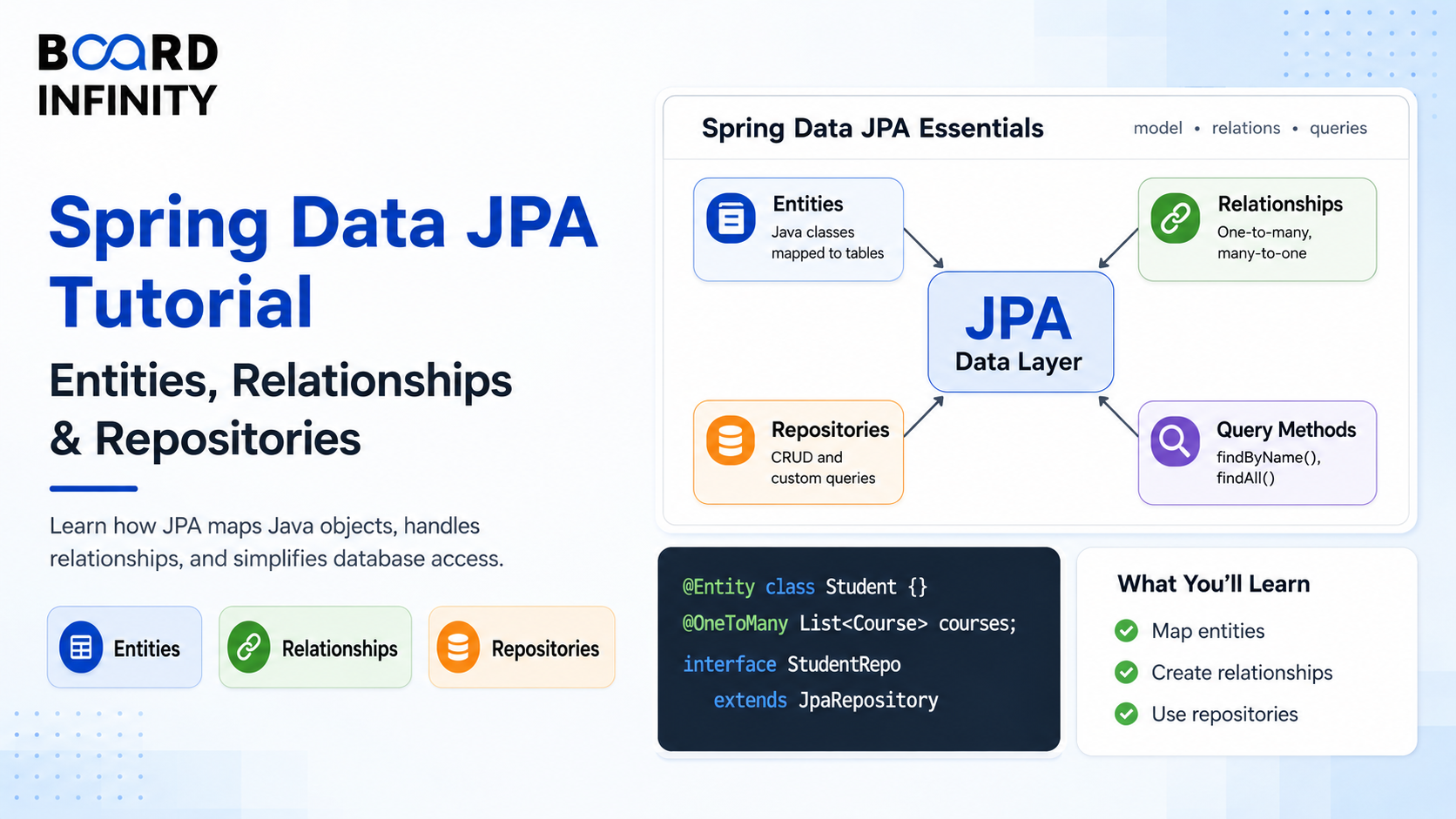
Every Spring Boot application that stores data needs to talk to a database. You could write raw SQL, manage JDBC connections manually, and map result sets to Java objects by hand. Or you could use Spring Data JPA - and let the framework handle 90% of that work for you.
Spring Data JPA is Spring Boot's database abstraction layer. It combines the JPA (Jakarta Persistence API) specification with Hibernate as the ORM (Object-Relational Mapper) implementation, and wraps both in a repository pattern that generates common queries automatically. The result: you define your Java classes, annotate your relationships, and Spring Data JPA generates the SQL, manages the connection pool, and handles transactions. What would take hundreds of lines of JDBC code takes a few annotated classes.
This tutorial walks through every concept you need to build a real Spring Boot data layer - from your first @Entity to pagination, custom JPQL queries, and fixing the notorious N+1 problem. Every section builds on the previous one, and every concept is shown in working Spring Boot code. For context on the Java concepts that make JPA click, Board Infinity's guides on OOP concepts in Java and Java Collections are ideal reading before starting - JPA entities are Java classes, and JPA repositories return Java collections, so those foundations matter directly.
Who This Tutorial Is For
This guide is for you if you:
- Know basic Spring Boot (controllers, services) but haven't connected a database yet
- Have used JPA by copying patterns but want to understand what each annotation does
- Are confused about entity relationships, lazy loading, or the N+1 problem
- Want a complete reference for Spring Data JPA that covers queries, pagination, and pitfalls
- Want to understand the Java foundations behind JPA's type system - Board Infinity's generics in Java guide explains the
JpaRepository<Product, Long>generic syntax directly - the<T, ID>type parameters you use in every repository declaration
1. Setting Up Spring Data JPA with H2 or MySQL
Add the required dependencies to your pom.xml. For development, H2 is perfect - it's an in-memory database that starts with your app and requires zero setup. For production, use MySQL or PostgreSQL. Understanding what happens at the Java level when Spring Boot auto-configures JPA - how the @Entity annotation triggers Hibernate's reflection-based table generation - connects to Board Infinity's core Java concepts and syntax guide, which covers the Java fundamentals that make annotation-driven frameworks like Spring Data JPA work.
<dependencies>
<!-- Spring Data JPA + Hibernate -->
<dependency>
    <groupId>org.springframework.boot</groupId>
    <artifactId>spring-boot-starter-data-jpa</artifactId>
</dependency>

<!-- H2 for development (in-memory, zero setup) -->
<dependency>
    <groupId>com.h2database</groupId>
    <artifactId>h2</artifactId>
    <scope>runtime</scope>
</dependency>

<!-- MySQL for production (comment out H2 when using this) -->
<!--
<dependency>
    <groupId>com.mysql</groupId>
    <artifactId>mysql-connector-j</artifactId>
    <scope>runtime</scope>
</dependency>
-->

<!-- Spring Web for REST controllers -->
<dependency>
    <groupId>org.springframework.boot</groupId>
    <artifactId>spring-boot-starter-web</artifactId>
</dependency>
spring:
  datasource:
    url: jdbc:h2:mem:shopdb    # in-memory database named "shopdb"
    driver-class-name: org.h2.Driver
  h2:
    console:
      enabled: true             # access H2 browser console at /h2-console
      path: /h2-console
  jpa:
    show-sql: true             # print SQL queries in console - useful for debugging
    hibernate:
      ddl-auto: create-drop    # creates tables on start, drops on stop (dev only)
    properties:
      hibernate:
        format_sql: true       # format SQL output for readability
create-drop drops and recreates all tables every time the app restarts. create drops tables on startup. Both destroy your data. These settings exist only for local development. For production, use validate (checks schema matches entities without changes) or none, and manage schema changes with Flyway or Liquibase migrations.
2. Defining Your First Entity with @Entity and @Id
An entity is a Java class that maps to a database table. Each instance of the class corresponds to a row in the table. Each field corresponds to a column. Hibernate reads your annotations and generates the CREATE TABLE statement automatically.
The minimum requirements for an entity: @Entity on the class and @Id on the primary key field. The encapsulation that protects entity fields - private fields with controlled getters and setters - is not just style. It's how JPA works: Hibernate uses your getter and setter methods to read and write field values. Board Infinity's guide on abstraction vs encapsulation in Java explains exactly why this matters in JPA entities - improperly exposed fields break Hibernate's mapping assumptions and can expose sensitive data like passwords in API responses. The wrapper class in Java guide is also directly relevant here: JPA entity primary keys use Long (not long) because Hibernate needs nullable wrapper types to detect unsaved entities - autoboxing between long and Long is something every JPA developer encounters regularly.
@Entity
@Table(name = "products") // explicit table name - defaults to class name if omitted
public class Product {
@Id
@GeneratedValue(strategy = GenerationType.IDENTITY) // auto-increment
private Long id;

@Column(nullable = false, length = 100)
private String name;

@Column(columnDefinition = "TEXT") // maps to TEXT column type in DB
private String description;

@Column(nullable = false, precision = 10, scale = 2)
private BigDecimal price;

@Column(nullable = false)
private Integer stock;

@Column(nullable = false)
private boolean available = true;

@CreationTimestamp // Hibernate sets this automatically on INSERT
private LocalDateTime createdAt;

@UpdateTimestamp   // Hibernate updates this automatically on UPDATE
private LocalDateTime updatedAt;

// Default constructor required by JPA
protected Product() {}

// Public constructor for your application code
public Product(String name, BigDecimal price, Integer stock) {
    this.name  = name;
    this.price = price;
    this.stock = stock;
}

// Getters and setters...
}
JPA requires a no-argument constructor to instantiate entities when loading from the database. But you don't want application code to create entities without providing required fields. The solution: declare the no-args constructor as protected. JPA (via reflection) can call it, but your application code can't - it's forced to use your public constructor with the required parameters.
3. One-to-Many and Many-to-One: Mapping Relationships
Real applications have entities that relate to each other. A Category has many Products. Each Product belongs to one Category. This is a One-to-Many / Many-to-One relationship - the most common in Spring Boot applications.
JPA maps these relationships using foreign keys in the database. On the Java side, you annotate the relationship fields and JPA handles the SQL JOIN operations for you.
Owning Side vs Inverse Side: In every bidirectional relationship, one side owns the foreign key column (the "owning side") and the other side is the "inverse side". The @OneToMany side uses mappedBy to point back to the owning side.
The List<Product> field on the Category entity - initialized as new ArrayList<>() - applies the Java collections knowledge that directly parallels real JPA usage. Board Infinity's Java List guide covers the ArrayList implementation used here, and the HashSet in Java guide is relevant for @ManyToMany relationships where Set<Product> is preferred over List<Product> to avoid duplicate join records. Understanding what is composition in Java also maps directly to JPA relationships - Category containing a List<Product> is composition at the Java level, which JPA maps to a foreign key relationship at the database level.
// CATEGORY - the "one" side (one category has many products)
@Entity
@Table(name = "categories")
public class Category {
@Id
@GeneratedValue(strategy = GenerationType.IDENTITY)
private Long id;

@Column(nullable = false, unique = true)
private String name;

// mappedBy = the field name in Product that owns this relationship
// cascade = operations on Category cascade to its Products
// orphanRemoval = deleting Product from this list also deletes it from DB
@OneToMany(mappedBy = "category",
           cascade = CascadeType.ALL,
           orphanRemoval = true,
           fetch = FetchType.LAZY)
private List<Product> products = new ArrayList<>();

// Helper methods to maintain both sides of the relationship
public void addProduct(Product product) {
    products.add(product);
    product.setCategory(this); // keep both sides in sync
}

public void removeProduct(Product product) {
    products.remove(product);
    product.setCategory(null);
}

// getters and setters...
}
// PRODUCT - the "many" side (owns the foreign key column category_id)
@Entity
@Table(name = "products")
public class Product {
@Id
@GeneratedValue(strategy = GenerationType.IDENTITY)
private Long id;

@Column(nullable = false)
private String name;

@Column(nullable = false)
private BigDecimal price;

// @ManyToOne - this product belongs to one category
// @JoinColumn - the foreign key column name in the products table
@ManyToOne(fetch = FetchType.LAZY) // LAZY - don't load category unless needed
@JoinColumn(name = "category_id")  // column: products.category_id
private Category category;

// getters and setters...
}
| Relationship | Annotation | Foreign Key Location | Real Example |
|---|---|---|---|
| One-to-Many | @OneToMany(mappedBy="...") |
In the "many" table | Category has many Products |
| Many-to-One | @ManyToOne + @JoinColumn |
Owns the foreign key column | Product belongs to Category |
| Many-to-Many | @ManyToMany + @JoinTable |
Junction/bridge table | Order has many Products; Product in many Orders |
| One-to-One | @OneToOne + @JoinColumn |
Either side | User has one UserProfile |
4. Spring Data Repositories: CrudRepository vs JpaRepository
Spring Data JPA generates the implementation of your repository interfaces automatically. You declare the interface, Spring provides a complete working class at runtime with no SQL required. JpaRepository<Product, Long> - the generic type parameters you write in every repository - uses Java generics directly. Board Infinity's generics in Java guide explains what <T, ID> means in this context: T is the entity type the repository manages, ID is the type of its primary key. Without understanding generics, these type parameters are copy-paste noise; with generics knowledge, every repository declaration becomes immediately self-explanatory.
The inheritance hierarchy itself - CrudRepository extended by PagingAndSortingRepository extended by JpaRepository - is a direct demonstration of Java inheritance. Board Infinity's multiple inheritance in Java guide covers how Java interfaces can form inheritance chains - the same mechanism that allows JpaRepository to provide all CrudRepository methods plus its own additions.
| Interface | Extends | Key Methods Added | Use When |
|---|---|---|---|
CrudRepository |
Repository |
save(), findById(), findAll(), delete(), count() |
Basic CRUD only, non-JPA stores |
PagingAndSortingRepository |
CrudRepository |
findAll(Pageable), findAll(Sort) |
Need pagination without JPA-specific features |
JpaRepository |
PagingAndSortingRepository |
flush(), saveAllAndFlush(), deleteAllInBatch(), getById() |
All Spring Boot + JPA applications - use this |
public interface ProductRepository extends JpaRepository<Product, Long> {
// Spring generates: SELECT * FROM products WHERE name = ?
Optional<Product> findByName(String name);

// Spring generates: SELECT * FROM products WHERE available = true
List<Product> findByAvailableTrue();

// Spring generates: SELECT * FROM products WHERE price < ? ORDER BY price ASC
List<Product> findByPriceLessThanOrderByPriceAsc(BigDecimal maxPrice);

// Spring generates: SELECT * FROM products WHERE category_id = ?
List<Product> findByCategoryId(Long categoryId);

// Combine conditions with AND
List<Product> findByCategoryIdAndAvailableTrue(Long categoryId);

// With pagination - returns Page (includes total count)
Page<Product> findByCategoryId(Long categoryId, Pageable pageable);

// Count query
long countByCategoryId(Long categoryId);

// Existence check
boolean existsByName(String name);

// Delete derived query
void deleteByCategoryId(Long categoryId);
}
Spring Data parses your method names to generate SQL. The pattern is: findBy + FieldName + optional condition (LessThan, GreaterThan, Contains, StartsWith, True, False, IsNull) + optional sort (OrderBy + FieldName + Asc/Desc). For complex queries, use @Query with JPQL instead of trying to build an unreadable method name.
5. Custom Queries with @Query and JPQL
Derived query methods cover most standard operations. But when you need complex filtering, aggregations, or queries that join multiple entities, @Query with JPQL (Java Persistence Query Language) is the right tool. JPQL looks like SQL but operates on entity objects and their field names - not table and column names.
The stream operations in JPQL projection results - SELECT new com.example.dto.ProductSummary(p.id, p.name, p.price) - and the Java-side processing of those results with stream().map().collect() connects directly to Board Infinity's map stream in Java guide. The Collectors.toList() and map() operations in service layer code that processes repository results are the same Stream operations covered there. The throw and throws in Java guide is also relevant here - @Modifying queries that fail throw TransactionRequiredException, and understanding Java's exception handling is essential for correctly handling and propagating JPA exceptions through the service layer.
public interface ProductRepository extends JpaRepository<Product, Long> {
// JPQL: uses entity class name (Product) not table name (products)
// Uses field names (price, category.name) not column names
@Query("SELECT p FROM Product p WHERE p.price BETWEEN :min AND :max AND p.available = true")
List<Product> findAvailableInPriceRange(
    @Param("min") BigDecimal min,
    @Param("max") BigDecimal max
);

// JOIN - navigates relationship in JPQL using field names
@Query("SELECT p FROM Product p JOIN p.category c WHERE c.name = :categoryName")
Page<Product> findByCategoryName(@Param("categoryName") String name,
                                    Pageable pageable);

// Native SQL query - use when JPQL can't express what you need
@Query(value = "SELECT * FROM products WHERE stock < :threshold",
       nativeQuery = true)
List<Product> findLowStockProducts(@Param("threshold") int threshold);

// Projection - return only specific fields (faster than loading full entity)
@Query("SELECT new com.example.dto.ProductSummary(p.id, p.name, p.price) FROM Product p WHERE p.available = true")
List<ProductSummary> findAvailableSummaries();

// Modifying query - for UPDATE and DELETE operations
@Modifying
@Transactional
@Query("UPDATE Product p SET p.available = false WHERE p.stock = 0")
int deactivateOutOfStockProducts();
}
Any @Query that modifies data (UPDATE or DELETE) must be annotated with both @Modifying and @Transactional. Without @Transactional, Spring throws TransactionRequiredException. You can add @Transactional on the repository method itself or on the service method that calls it - but it must exist somewhere in the call stack.
6. Pagination and Sorting Out of the Box
One of Spring Data JPA's most valuable features is built-in pagination. Without it, fetching all rows from a table with millions of records would be catastrophic for performance and memory. Page<T> returns a slice of data along with total count, total pages, and navigation metadata - everything a frontend needs to build a paginated list.
The Page.map() operation - transforming a Page<Product> to Page<ProductDto> - is one of the most common patterns in Spring Boot service layers. It's a direct application of functional transformation concepts. Board Infinity's Java Comparator interface guide covers the Sort and Comparator patterns that JPA's PageRequest.of(page, size, Sort.by(...)) uses internally - understanding Comparator makes Sort.Direction and Sort.by() immediately intuitive rather than another annotation to copy-paste. The essentials of how the full backend layer works - controllers serving paginated data to frontends - is covered in Board Infinity's Essentials of Back-End Development: From APIs to Databases guide.
// SERVICE - constructs the Pageable object
@Service
public class ProductService {
private final ProductRepository productRepository;

public ProductService(ProductRepository productRepository) {
    this.productRepository = productRepository;
}

public Page<ProductDto> getProducts(int page, int size, String sortBy) {

    // Validate page size to prevent abuse (e.g. someone requests 10,000 records)
    int safeSize = Math.min(size, 100);

    // PageRequest.of(page, size, Sort) - page is 0-based
    Pageable pageable = PageRequest.of(
        page,
        safeSize,
        Sort.by(Sort.Direction.ASC, sortBy) // sort by provided field
    );

    return productRepository.findAll(pageable)
        .map(this::toDto); // Page.map() - applies transform to each element
}

private ProductDto toDto(Product p) {
    return new ProductDto(p.getId(), p.getName(), p.getPrice());
}
}
// CONTROLLER - exposes pagination as query parameters
@RestController
@RequestMapping("/api/products")
public class ProductController {
private final ProductService productService;

public ProductController(ProductService productService) {
    this.productService = productService;
}

// GET /api/products?page=0&size=20&sortBy=price
@GetMapping
public Page<ProductDto> getAll(
        @RequestParam(defaultValue = "0")     int page,
        @RequestParam(defaultValue = "20")    int size,
        @RequestParam(defaultValue = "name")  String sortBy) {
    return productService.getProducts(page, size, sortBy);
}
}
// Page response JSON includes navigation metadata automatically:
// {
//   "content": [...],        - the actual data
//   "totalElements": 150,    - total records in DB
//   "totalPages": 8,         - total pages at current size
//   "number": 0,             - current page (0-based)
//   "size": 20,              - page size
//   "first": true,           - is this the first page?
//   "last": false            - is this the last page?
// }
7. Common Pitfalls: N+1 Problem and Lazy Loading
Understanding lazy loading and the N+1 problem is what separates Spring Boot developers who write performant applications from those who accidentally take down production databases.
What Is Lazy Loading? FetchType.LAZY means: "don't load this related entity until I actually access it." When you load a Product, its category field is a proxy. The actual Category is only fetched from the database when you call product.getCategory().
The N+1 Problem: Loading 50 products is 1 query. Accessing product.getCategory() for each of those 50 products triggers 50 additional queries. Total: 51 queries for what should be 1 or 2.
The Stream operations used in the N+1 problem example - products.stream().map(p -> ...).collect(Collectors.toList()) - are the same stream operations that trigger the N+1 problem when lazy-loaded relationships are accessed inside map(). Board Infinity's map stream in Java guide covers these stream operations, and understanding that each call to p.getCategory() inside a stream lambda triggers a separate database hit is one of the most important performance insights a Spring Boot developer needs. The access modifiers in Java guide is also relevant to entity design - protected no-args constructors and private field access that Hibernate navigates through reflection are access modifier decisions with real JPA implications.
// THE PROBLEM - this triggers 1 + N queries
public List<ProductDto> getAllWithCategoryNames() {
List<Product> products = productRepository.findAll(); // Query 1: SELECT * FROM products

return products.stream()
    .map(p -> new ProductDto(
        p.getId(),
        p.getName(),
        p.getCategory().getName() // Query 2..N: SELECT * FROM categories WHERE id = ?
    ))
    .collect(Collectors.toList());
// 50 products = 51 total queries
}
// FIX 1: JOIN FETCH in @Query - load category in the same query
public interface ProductRepository extends JpaRepository<Product, Long> {
@Query("SELECT p FROM Product p JOIN FETCH p.category")
List<Product> findAllWithCategory();
// 1 query: SELECT p.*, c.* FROM products p JOIN categories c ON p.category_id = c.id
}
// FIX 2: @EntityGraph - declarative fetch plan, no JPQL needed
public interface ProductRepository extends JpaRepository<Product, Long> {
@EntityGraph(attributePaths = "category") // eagerly fetch category for this query only
Page<Product> findAll(Pageable pageable);
// Works with pagination - @Query + JOIN FETCH + Pageable causes issues
}
// FIX 3: DTO projection - fetch only what you need
@Query("SELECT new com.example.dto.ProductWithCategory(p.id, p.name, p.price, c.name)" +
" FROM Product p JOIN p.category c")
List<ProductWithCategory> findAllProjected();
// Most efficient - only fetches the 4 fields you actually need
When combining pagination (Pageable) with loading relationships, avoid JOIN FETCH in JPQL. Hibernate issues a warning: "HHH90003004: firstResult/maxResults specified with collection fetch; applying in memory" - which means Hibernate loads ALL rows into memory and paginates in Java, not in the database. This defeats the entire purpose of pagination. Use @EntityGraph with Pageable instead - it generates the correct SQL with database-level LIMIT and OFFSET.
Further Reading
Board Infinity Guides:
- OOP Concepts in Java
- Core Java Concepts and Syntax
- Classes and Objects in Java
- Abstraction vs Encapsulation in Java
- Abstraction in Java
- Understanding Polymorphism in Java
- Multiple Inheritance in Java - Interfaces
- What is Composition in Java?
- Generics in Java
- Understanding Wrapper Class in Java
- Learn About Java List
- Understand HashSet in Java
- Learn About Map Stream in Java
- Understanding the Java Comparator Interface
- Learn About Throw and Throws in Java
- Access Modifiers in Java
- Method Overloading vs Overriding in Java
- Essentials of Back-End Development: From APIs to Databases
External Resources:
- Spring Data JPA Official Documentation
- Hibernate ORM Documentation
- Baeldung - Spring Data JPA Tutorial
Spring Boot, Spring Security & Application Finalization on Coursera
This free Coursera course by Board Infinity applies every JPA concept in this guide - entities, relationships, repositories, queries, and pagination - inside a complete, production-ready Spring Boot application. You'll build the full data layer, REST API, and security implementation together.
✓ Certificate available · ✓ Self-paced · ✓ Beginner-friendly
Conclusion
Spring Data JPA removes the vast majority of database boilerplate from Spring Boot applications. @Entity and its annotation system handle schema definition. Repository interfaces with derived query methods handle common queries. @Query with JPQL handles complex operations. Pageable handles pagination and sorting. And understanding lazy loading and the N+1 problem is what ensures your application stays performant as data grows.
The pattern to remember is this: define your entities and their relationships carefully - choosing FetchType.LAZY for all associations by default. Define your repository interfaces extending JpaRepository. Use derived query methods for simple queries and @Query for complex ones. Use @EntityGraph when you need to load relationships efficiently alongside pagination.
These seven concepts - entity definition, relationship mapping, repository interfaces, derived queries, JPQL, pagination, and N+1 prevention - are the complete toolkit for building any Spring Boot data layer. Every Spring Boot application that connects to a relational database uses all seven, often in the same service class. The Java foundations that underpin all of it - OOP, collections, generics, streams, encapsulation - are covered comprehensively in Board Infinity's OOP concepts in Java guide and the overloading vs overriding guide, which covers the @Override contract that UserDetailsService and other Spring interface implementations rely on throughout the full Spring Boot stack.
