In this article, we will see how to check an array if it's empty or not with array methods and detailed examples.
Approach: Using Array.isArray() method and array.length property
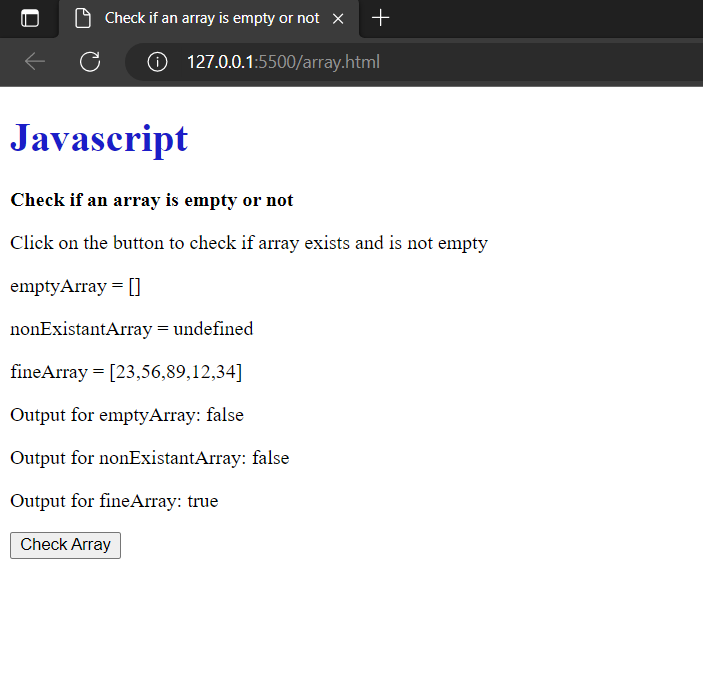
The Array.isArray() method can be used to determine whether an array is actually there and whether it exists. If the Object supplied as a parameter is an array, this function returns true. Additionally, it determines whether the array is undefined or null.
The array.length property can be used to determine whether the array is empty. The array's element count is returned by this attribute. The integer evaluates to true if it is bigger than 0.
When used with the AND(&&) operator, this method and property can be used to check whether the array is present and not empty.
Syntax
Array.isArray(emptyArray) && emptyArray.length
Example
//To check if an array is empty using javascript function arrayIsEmpty(array) { //If not an array, return FALSE. if (!Array.isArray(array)) { return FALSE; } //If it is an array, check its length property if (array.length == 0) { //Return TRUE if the array is empty return true; } //Otherwise, return FALSE. return false; } var charArr = new Array('a','b','c'); //An example of a JavaScript array that is empty. var arrTwo = new Array(); print(arrayIsEmpty(charArr)); //returns FALSE print(arrayIsEmpty(arrTwo)); //returns TRUE
Here, we can see that charArr is an array and so meets the second requirement to determine whether the length of the array is empty. The function returns False since the array is not empty because it contains three elements. Since it is an array once more in the second scenario, arrTwo, it meets the second requirement. The function in this case returns True because the array is empty.