
DDL and DML Commands in SQL: Differences, Syntax & Examples
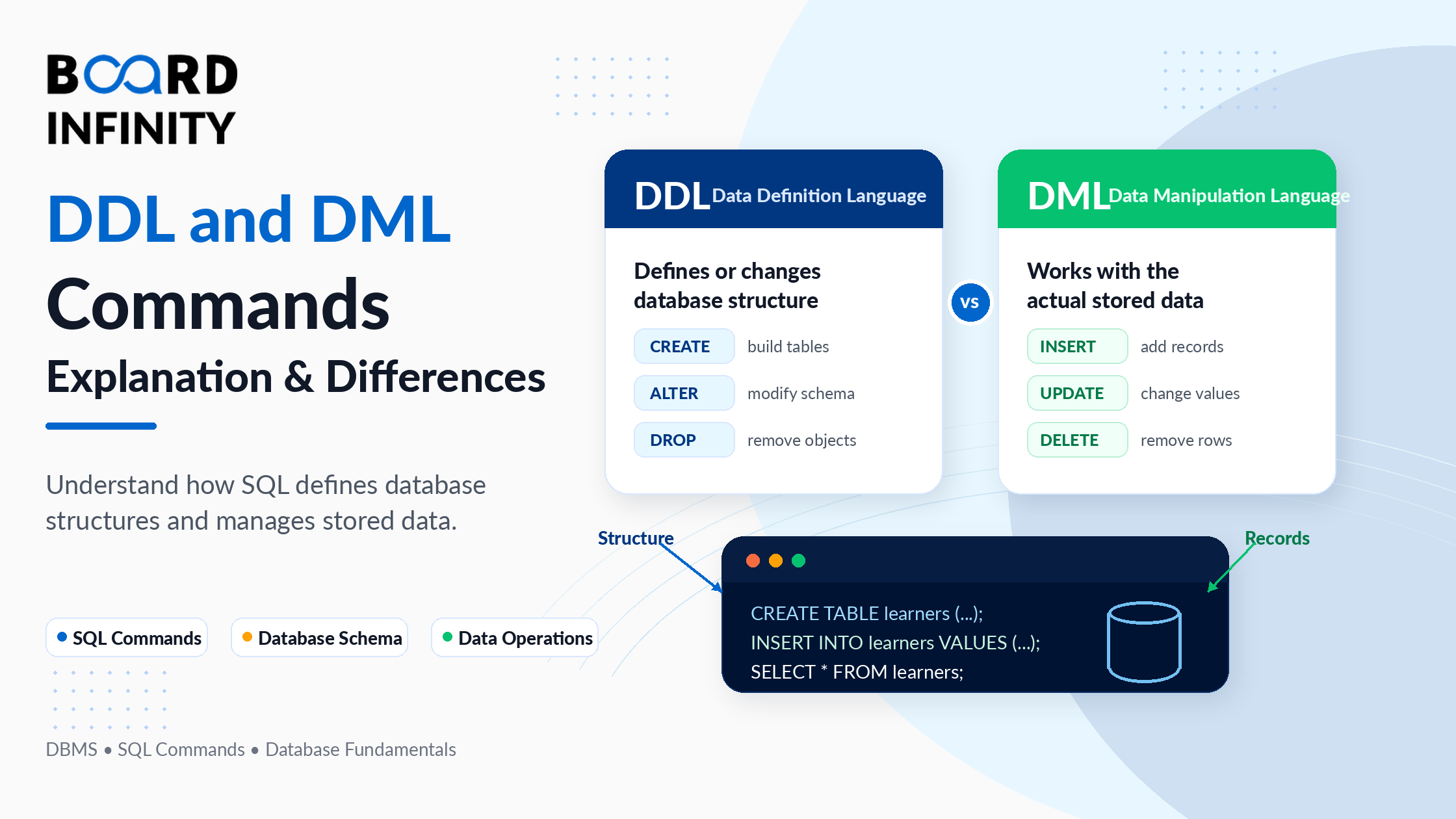
Every SQL operation you perform on a database falls into one of five categories. Two of those categories - DDL and DML - are the ones you will use most often, and understanding the difference between them is foundational to working with any relational database.
DDL (Data Definition Language) commands define and modify the structure of a database - creating tables, altering columns, dropping indexes. DML (Data Manipulation Language) commands work with the data inside those structures - inserting records, updating values, deleting rows, and querying results.
This guide covers both in full detail: what each command does, the correct SQL syntax, working code examples, the critical difference between DDL and DML, all five SQL command categories in DBMS, and direct answers to the most common interview questions including "is INSERT DDL or DML?" If you want the broader DBMS context first, Board Infinity's guide on ACID properties in DBMS explains the transaction rules that govern how DML commands behave.
Who This Guide Is For
The Five SQL Command Categories in DBMS
Before diving into DDL and DML specifically, it helps to understand where they sit within the full SQL command taxonomy. SQL commands in DBMS are divided into five categories, each serving a distinct purpose.
What is DDL? (Data Definition Language)
DDL commands define, create, and modify the structure of a database - the schema, tables, columns, indexes, constraints, and relationships. When you run a DDL command, the change is auto-committed immediately and permanently. There is no ROLLBACK option for DDL in most databases - once a table is dropped, it is gone.
Think of DDL as the architect's toolset. Before any data can be stored, the DDL commands lay the blueprint - what tables exist, what columns they have, what data types are allowed, and what constraints apply.
DDL Command 1: CREATE
CREATE builds a new database object - a database, table, view, index, or stored procedure. It is always the first DDL command you run when setting up a new schema.
DDL Command 2: ALTER
ALTER modifies the structure of an existing table without affecting the data already stored in it. You can add new columns, change data types, rename columns, or add and drop constraints.
DDL Command 3: DROP
DROP permanently deletes a database object - a table, database, index, or view - along with all its data and structure. This is irreversible in most databases and should be used with extreme caution in production environments.
DDL Command 4: TRUNCATE
TRUNCATE removes all rows from a table but keeps the table structure intact. It is faster than DELETE for clearing large tables because it does not log individual row deletions - it deallocates the data pages directly.
DDL Command 5: RENAME
RENAME changes the name of an existing database object without affecting its structure or data.
What is DML? (Data Manipulation Language)
DML commands work with the data stored inside database tables. Unlike DDL, DML commands are transactional - changes made by DML can be undone using ROLLBACK as long as they have not been committed with COMMIT. This makes DML safe for use in application logic where mistakes need to be recoverable.
DML is what application developers, data analysts, and end-users interact with on a daily basis. Every record inserted into a database, every value updated, every row deleted - all of it happens through DML commands.
DML Command 1: INSERT
INSERT adds new rows of data into a table. You can insert a single row, multiple rows at once, or insert data selected from another table.
DML Command 2: UPDATE
UPDATE modifies existing records in a table. Always use a WHERE clause with UPDATE - without it, every row in the table gets updated, which is almost never what you intend.
DML Command 3: DELETE
DELETE removes specific rows from a table based on a condition. Unlike TRUNCATE, DELETE is transactional and can be rolled back. It also fires triggers on the deleted rows, making it suitable for use in application logic where cascading operations matter.
DML Command 4: MERGE
MERGE (available in SQL Server, Oracle, and PostgreSQL) combines INSERT, UPDATE, and DELETE into a single statement. It is used to synchronise a target table with a source table - updating rows that match, inserting rows that don't exist, and optionally deleting rows that are no longer in the source.
Difference Between DDL and DML
This is the most common comparison in SQL interviews and university exams. The difference between DDL and DML goes beyond just command names - it covers transaction behaviour, who uses each category, and when each applies.
Is INSERT DDL or DML?
INSERT is a DML command - not DDL.
This is one of the most frequently asked SQL interview questions, and the answer is definitive. Here is how to remember it:
- DDL commands work on the structure of the database (tables, columns, indexes)
- DML commands work on the data inside the database (rows, values, records)
INSERT adds a new row of data into an existing table. It does not change the table's structure in any way - the number of columns, their data types, and their constraints all remain exactly the same after an INSERT. Because it operates on data (not structure), it is DML.
The same logic applies to the full set of DML commands:
Real-World Example: DDL and DML Working Together
In practice, DDL and DML are always used in sequence. DDL creates the structure first; DML fills it with data and keeps it updated. Here is a complete end-to-end example using an HR database scenario that shows every major command in context. This pattern directly mirrors how relational databases in DBMS are structured and operated in production systems.
DCL and TCL: The Other SQL Command Categories
While DDL and DML are the most frequently used categories, DCL and TCL complete the picture of DDL and DML commands in DBMS by handling access control and transaction management.
DCL - Data Control Language
Best Practices for DDL and DML Commands
Conclusion
DDL and DML commands are the two most fundamental building blocks of SQL. DDL creates and manages the structure of your database - the tables, columns, indexes, and constraints that define what data can be stored and how. DML manages the actual data within that structure - inserting records, updating values, deleting rows, and retrieving results.
The three things to take away: first, DDL is auto-committed in most databases - there is no rollback, so always double-check before running DROP or TRUNCATE. Second, DML is transactional - you can always wrap INSERT, UPDATE, and DELETE in a transaction and ROLLBACK if something goes wrong. Third, INSERT is DML, not DDL - it adds data to an existing structure without changing the structure itself.
For anyone building a career in data engineering, backend development, or database administration, mastering DDL and DML commands is the essential first step. Board Infinity's guide on normalisation in DBMS shows how DDL commands translate well-designed schemas into actual database structures - the natural next step after understanding the commands themselves.
Frequently Asked Questions
Q1. What are DDL and DML commands in SQL? DDL (Data Definition Language) commands define and modify database structure - CREATE, ALTER, DROP, TRUNCATE, and RENAME. DML (Data Manipulation Language) commands manage data within tables - INSERT, UPDATE, DELETE, and MERGE. DDL works on the schema; DML works on the data.
Q2. What is the difference between DDL and DML? The core difference is what they operate on and how they commit. DDL operates on database structure (tables, columns, indexes) and auto-commits immediately with no rollback. DML operates on data rows within tables and is transactional - changes can be rolled back using ROLLBACK before a COMMIT.
Q3. Is INSERT a DDL or DML command? INSERT is a DML command. It adds new data rows into an existing table without changing the table's structure. DDL commands change structure; DML commands change data. Since INSERT only adds data, it is DML.
Q4. Is TRUNCATE DDL or DML? TRUNCATE is classified as a DDL command in most databases. Even though it removes all rows from a table (which looks like a data operation), it auto-commits immediately and cannot be rolled back in MySQL or SQL Server - which is DDL behaviour. DELETE is the DML equivalent that removes all rows transactionally.
Q5. What are the DML commands in SQL? The primary DML commands are INSERT (add new rows), UPDATE (modify existing rows), DELETE (remove rows), and MERGE (synchronise data between tables). SELECT is sometimes grouped here but is technically DQL (Data Query Language).
Q6. What are the DDL commands in SQL? The DDL commands are CREATE (create database objects), ALTER (modify existing objects), DROP (permanently delete objects), TRUNCATE (remove all rows from a table), and RENAME (rename an existing object).
Q7. Can DDL commands be rolled back? In most databases (MySQL, SQL Server, Oracle), DDL commands cannot be rolled back - they auto-commit immediately. PostgreSQL is a notable exception where DDL can be wrapped in a transaction and rolled back. Always treat DDL as permanent in production environments unless you are working in PostgreSQL.
Q8. What are DCL and TCL commands in SQL? DCL (Data Control Language) controls access permissions using GRANT and REVOKE. TCL (Transaction Control Language) manages transaction boundaries using COMMIT, ROLLBACK, and SAVEPOINT. Together with DDL and DML, these four categories cover all SQL operations in DBMS.
Further Reading
Board Infinity Guides:
- ACID Properties in DBMS with Examples
- Relational Model in DBMS
- Normalisation in DBMS with Examples
- Indexing in DBMS
- Keys in DBMS
- Functional Dependency in DBMS
- Structure of DBMS
- INDEX in SQL
External Resources:
- MySQL Official Docs - SQL Statement Syntax - authoritative reference for DDL and DML syntax in MySQL with all supported options and edge cases
- PostgreSQL Docs - SQL Commands - complete PostgreSQL command reference including DDL, DML, DCL and TCL with full syntax specifications
- W3Schools SQL Reference - quick-reference keyword guide for all SQL commands with runnable examples for beginners
Mark Lesson Complete (DDL and DML Commands in SQL: Differences, Syntax & Examples)
Mark Complete
Bookmark