
Python List to Tuple: 7 Methods, Reverse Conversion & NumPy Arrays
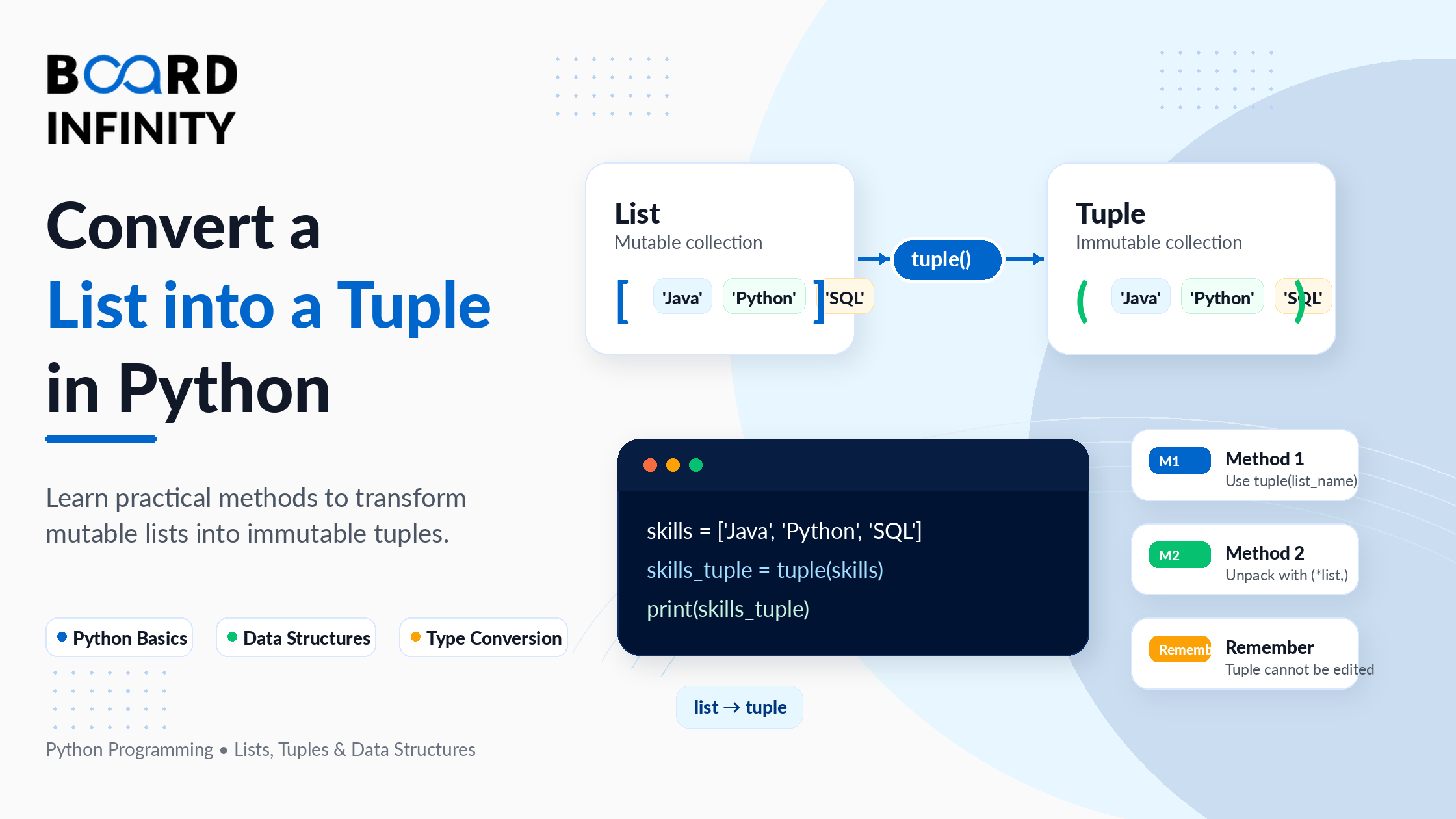
Lists and tuples look similar on the surface - both store ordered collections of elements in Python. The difference is fundamental: lists are mutable (you can change them), tuples are immutable (you cannot). This distinction creates a recurring need in Python programming: converting a list to a tuple when you need immutability, hashability, or better performance on fixed data.
Whether you need a simple one-liner, a memory-efficient solution for large datasets, or a way to transform elements during conversion, Python gives you multiple tools to do it. This guide covers all 7 methods to convert a Python list to tuple, with working code for each, a performance comparison, guidance on when to use which method, and - because this question always comes up - how to reverse the conversion and turn a tuple back into a list.
You will also find coverage of two topics that most guides skip entirely: converting nested lists to nested tuples, and converting a NumPy array to a tuple - both common requirements in data science and backend Python work. If you want to strengthen your understanding of Python data structures before going further, Board Infinity's guide on Python lists and tuples in Python cover the full mechanics of each.
Who This Guide Is For
List vs Tuple: Why Convert At All?
Before choosing a method, it helps to understand exactly why you would convert a list to a tuple in the first place. The reasons are practical, not academic.
Method 1: tuple() Constructor - The Standard Way
The tuple() built-in is the most direct, readable, and universally recommended method. Pass any iterable - a list, string, set, or range - and it returns a new tuple with the same elements in the same order. This is the method you should reach for by default.
Method 2: Unpacking Operator (*list,) - The Pythonic One-Liner
The unpacking operator * combined with tuple literal syntax (*list,) is a concise, modern Python approach. The * unpacks all elements of the list, and the enclosing parentheses with a trailing comma create a tuple from those unpacked elements. The trailing comma is not optional - without it, Python reads the parentheses as a grouping expression, not a tuple.
Method 3: Generator Expression - Memory-Efficient for Large Data
A generator expression inside tuple() converts a list without creating any intermediate data structure. Unlike list comprehension (which builds an entire list in memory before converting), a generator yields one element at a time. For large lists, this difference in memory usage is significant.
Method 4: map() Function - Applying a Function to Each Element
The map() function applies a given function to every element of a list and returns a map object. Wrapping this in tuple() converts the result directly into a tuple. This is the right approach when your conversion involves a transformation that is cleanest expressed as a named function or lambda.
Method 5: List Comprehension - When You Need Pre-Conversion Filtering
List comprehension builds a new list from the original, which is then passed to tuple(). This involves creating an intermediate list in memory - making it less efficient than a generator expression for large datasets. However, it is familiar to most Python developers and is useful when the filtering or transformation logic is complex and you want it readable at a glance.
Method 6: for Loop - Full Manual Control
Building a tuple element by element using a for loop is the least efficient method - each += operation creates a new tuple object in memory, since tuples are immutable. For large lists, this results in significant memory churn. Use this method only for educational purposes, very small lists, or situations where you need complex conditional logic per element during the loop.
Method 7: *args in Functions - Tuple from List via Function Call
When you pass a list to a function using the * unpacking operator, Python converts it into positional arguments, and inside the function, *args collects those arguments as a tuple. This pattern is not a general-purpose conversion method - it is specifically useful when you are already working with functions that accept variable arguments, and you want the result returned as a tuple.
Performance Comparison: Which Method Is Fastest?
For most day-to-day Python work, the performance difference between methods is negligible for small lists. For large datasets - thousands or millions of elements - the choice of method matters. Here is a summary of how they compare.
Python Tuple to List: Reverse Conversion
Converting a tuple back to a list is just as common - especially when you receive a tuple from a function or external API and need to modify its contents. Python makes this equally simple with the list() constructor.
Nested List to Tuple: Converting Multi-Level Structures
A flat tuple() call on a nested list converts only the outer list - the inner lists remain as lists. To convert a nested list to fully nested tuples, you need to apply the conversion recursively. This comes up frequently when working with matrix data, coordinate grids, or multi-level configuration structures. Understanding Python's list data structures in depth makes these nested patterns much easier to reason about.
Python Array to Tuple: Converting NumPy Arrays
NumPy arrays are the backbone of data science in Python. When you need to pass NumPy data to a function that expects a tuple, store array values as dictionary keys, or interface with libraries that require Python-native tuples, you need to convert a NumPy array to a tuple. The tuple() constructor works - but with an important nuance for multi-dimensional arrays.
Real-World Use Cases
The motivation to convert a Python list to a tuple is almost always one of these four practical scenarios.
Quick Reference: Which Method to Use
Conclusion
Converting a Python list to a tuple is a task with one correct default answer (tuple()) and several specialised tools for specific situations. The three things to take away: first, tuple() is the right default - it is fast, readable, and universally understood. Second, use a generator expression when your list is large or when you need to filter and transform elements without an intermediate list. Third, the unpacking operator (*list,) is the most Pythonic way to merge multiple lists into a single tuple in one line.
The reverse conversion - tuple to list via list() - is equally simple and just as commonly needed. For nested structures, remember that a flat tuple() call only converts the outer level; use a nested generator expression to fully convert all levels. For NumPy arrays, always check whether you need Python-native types in your tuple output and use .tolist() if you do.
The best way to solidify this is to practice in a real context. Board Infinity's course on Python programming gives you the structured practice environment where data structure conversions like this become second nature.
If you are looking to share Python learning resources, code documentation, or technical guides with your team in an engaging format, Flipsnack's digital newsletter maker lets you create interactive, trackable newsletters - useful for dev teams and educators who want to distribute content beyond static PDFs.
Frequently Asked Questions
Q1. What is the fastest way to convert a Python list to a tuple? tuple(my_list) is the fastest method for flat list conversion. It makes a single pass over the list and creates the tuple directly. The unpacking operator (*my_list,) is equally fast. For large datasets with element transformations, a generator expression avoids creating an intermediate list, which saves memory even if raw speed is similar.
Q2. How do I create a tuple from a list in Python? Use the built-in tuple() function: my_tuple = tuple(my_list). This is the standard, readable, and most Pythonic approach. Pass any list as the argument and it returns a new tuple with the same elements in the same order.
Q3. How do I convert a Python tuple back to a list? Use the list() constructor: my_list = list(my_tuple). This returns a new mutable list with the same elements. The original tuple is unchanged.
Q4. How do I convert a nested list to a tuple in Python? tuple(my_nested_list) only converts the outer list - inner lists remain as lists. To convert all levels, use a nested generator: tuple(tuple(row) for row in matrix). For arbitrary depth, write a recursive function that checks isinstance(obj, list) and converts each level.
Q5. How do I convert a NumPy array to a tuple in Python? For a 1D array, tuple(arr) works. For pure Python types (not NumPy int64/float32), use tuple(arr.tolist()). For 2D arrays, use tuple(tuple(row) for row in arr) to get a fully nested tuple structure.
Q6. Can a tuple contain a list in Python? Yes. A tuple can contain any Python object, including lists, dictionaries, and other tuples. However, if a tuple contains a list, the tuple is no longer hashable (cannot be used as a dictionary key), because the list inside it is mutable. For full hashability, every element of the tuple must also be immutable.
Q7. What is the difference between tuple([x for x in lst]) and tuple(x for x in lst)? The first uses list comprehension - it builds a complete intermediate list in memory, then passes it to tuple(). The second uses a generator expression - it yields elements one at a time with no intermediate list. For small lists the difference is negligible. For large lists, the generator expression uses significantly less memory because it never holds all elements in memory simultaneously.
Further Reading
Board Infinity Guides:
- Everything You Need to Know About Tuples in Python
- Learn About Java List
- Learn About Map Stream in Java
- Boolean in Python
- Dictionary to JSON in Python
External Resources:
- Python Official Docs - tuple() - authoritative specification for the tuple built-in, including all supported iterable types
- Python Official Docs - Data Structures: Tuples and Sequences - Python's own tutorial on when to use tuples vs lists and the semantic difference
- NumPy Docs - ndarray.tolist() - official NumPy documentation for converting arrays to Python-native nested lists before tuple conversion